/Work/Sorted
Sorted
Could AI Make a
Super App Work?
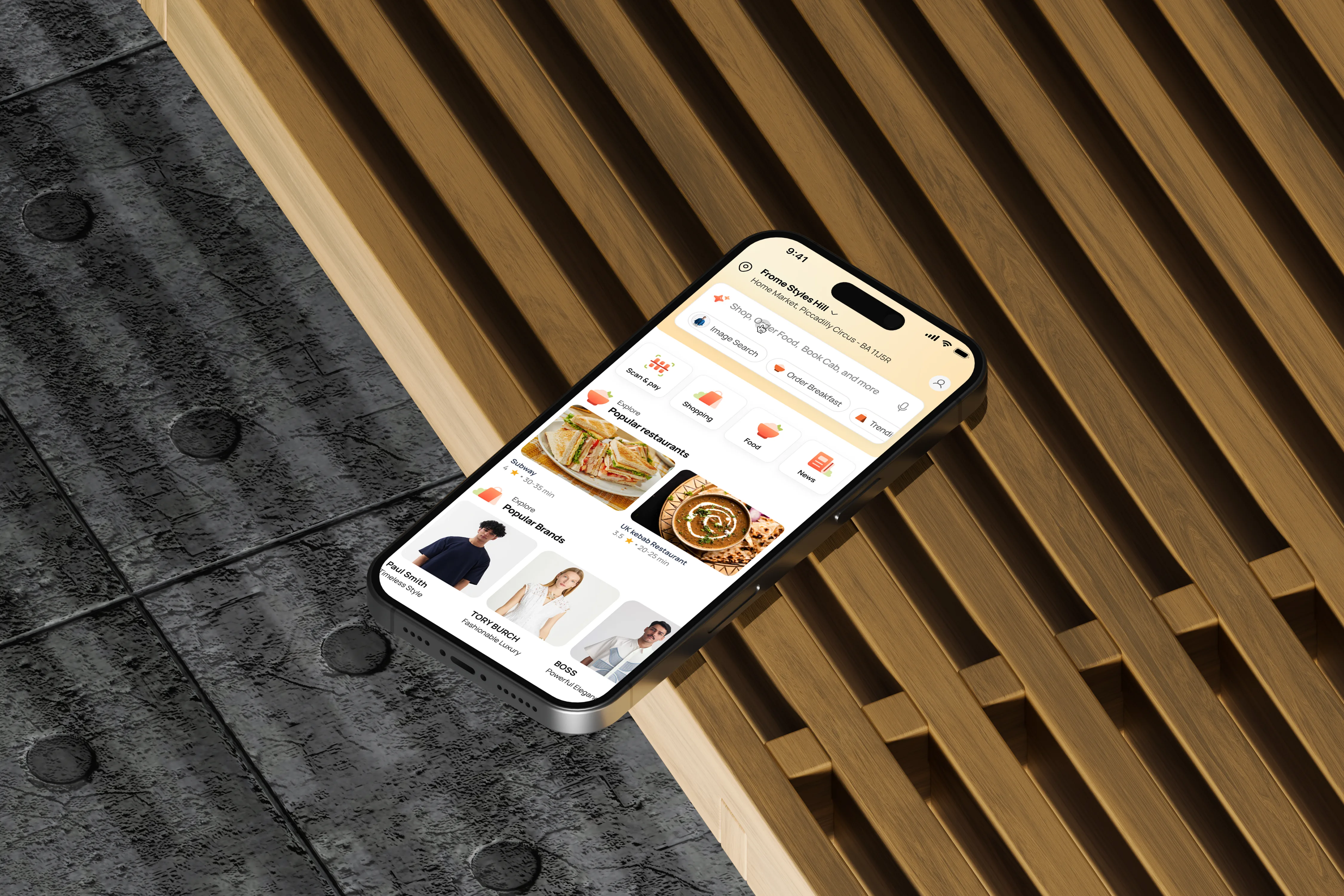
01 / The Question
The UK already has strong specialist apps. What it does not have is a system that understands what you are trying to do across them.
What people currently use
The Tension
The problem is
not app switching.
Deliveroo works well. Monzo works well. Trainline works well. The individual products are not the problem. The problem is that each one understands only its own domain. Intent is fragmented across them. Location, preferences, and payment are repeatedly re-established. No single layer can coordinate an entire user goal like "sort out my weekend in Edinburgh."
Super apps have not taken off in this market because specialist apps already work well enough. The hypothesis behind Sorted: AI could change the value proposition from "put every service into one app" to "understand what the user is trying to do and coordinate across services."
This is concept work. It explores that hypothesis through 44 screens across nine modules, with a shared AI layer, shared checkout, and location-first architecture. It was not shipped.
02 / Why This Was Worth Exploring
The behaviours were already there.
The coordination layer was not.
53%
of UK people say they often see AI summaries in search results
Ofcom, Online Nation 2025 · YouGov · Feb 2025
15.2M
Monzo customers
10.4M monthly active · 49% use Monzo as primary bank
Monzo Annual Report · FY2026
Interpretation
These numbers do not prove demand for Sorted. They show that the behaviours it proposes to connect already exist at scale. Monzo shows that UK consumers can build a deep primary relationship with a digital platform. Whether that behaviour extends across unrelated service categories remains unproven.
Observation
People move across many specialist apps, but each app understands only its own domain.
Inference
The problem is fragmented intent, not app count.
Design response
One AI orchestration layer across shared context, shared commerce, and distinct vertical experiences.
03 / The Landscape
Existing products remain
largely domain-specific.
| Model | Examples | Sorted |
|---|---|---|
| Specialist Vertical | Deliveroo and Just Eat serve food. Trainline serves rail. Each is excellent within its domain. Most remain focused on a small number of adjacent domains. | Food, shopping, news, and local discovery share one AI layer and one checkout system. |
| Multi-Service | Uber has expanded from mobility into food and grocery, but its consumer proposition remains centred on mobility and delivery rather than cross-domain intent orchestration. | Nine modules coordinated by a shared intent layer, not bolted onto a single-vertical core. |
| Financial Ecosystem | Revolut demonstrates how a UK digital platform can expand from a strong financial core into adjacent services such as insurance and travel. Its expansion remains within financial and transactional territory. | Payments are infrastructure, not identity. Sorted integrates with existing providers rather than replacing them. |
| AI Commerce | Klarna recommends products then navigates away to buy. Amazon Rufus answers questions then links to product pages. Current AI commerce assistants typically return users to conventional product and checkout flows. | Transactional AI. The concept explores completing a purchase inside a conversation without navigating away. |
04 / How It Works
One intent.
Multiple domains.
Shared checkout.
Adaptive Hub,
Contextual AI,
Shared Checkout
Cross-domain orchestration
Three Layers
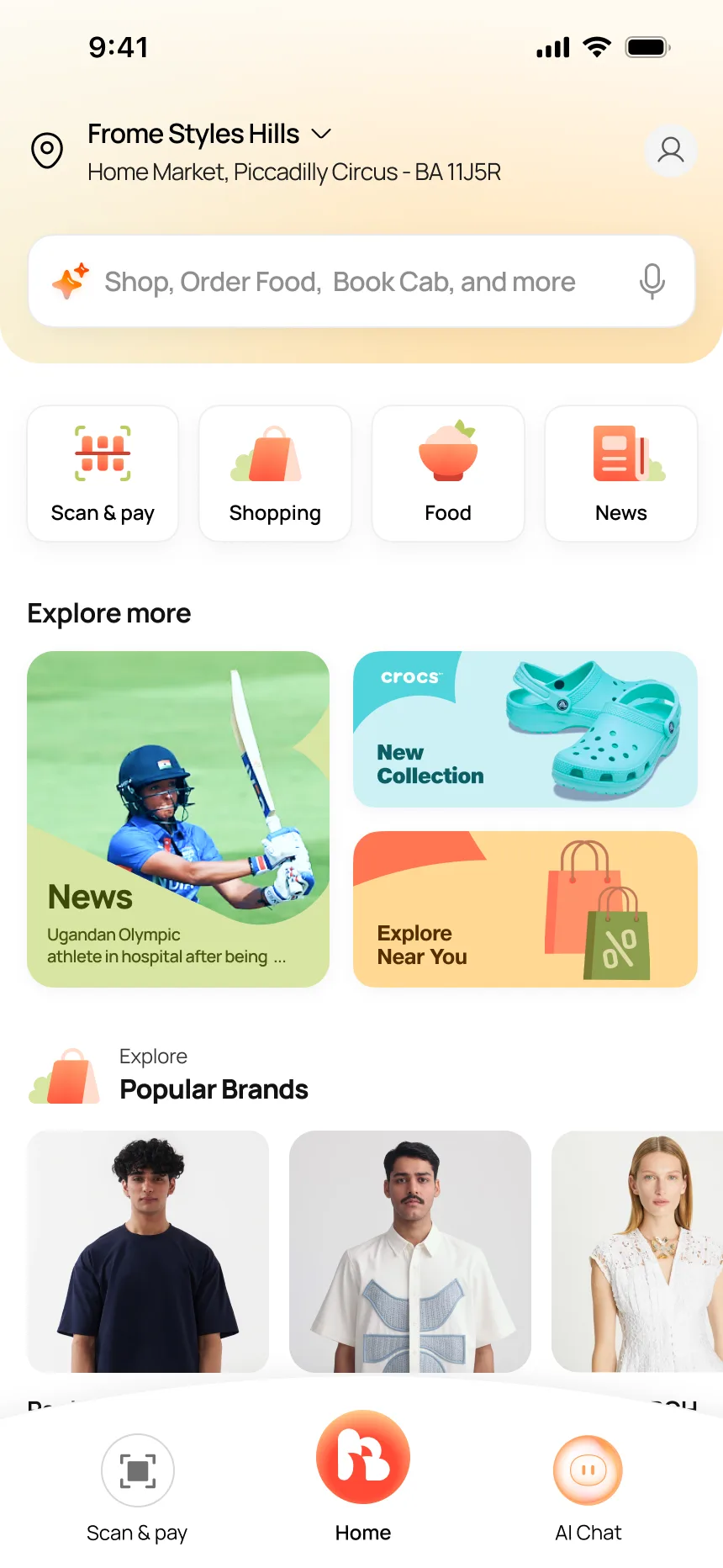
A super app fails if every module looks the same or if you have to dig for what you need. I designed three layers that work together: the homepage reshapes by mode, the AI appears wherever you are, and one checkout handles every transaction regardless of entry point.
One hub, four contexts
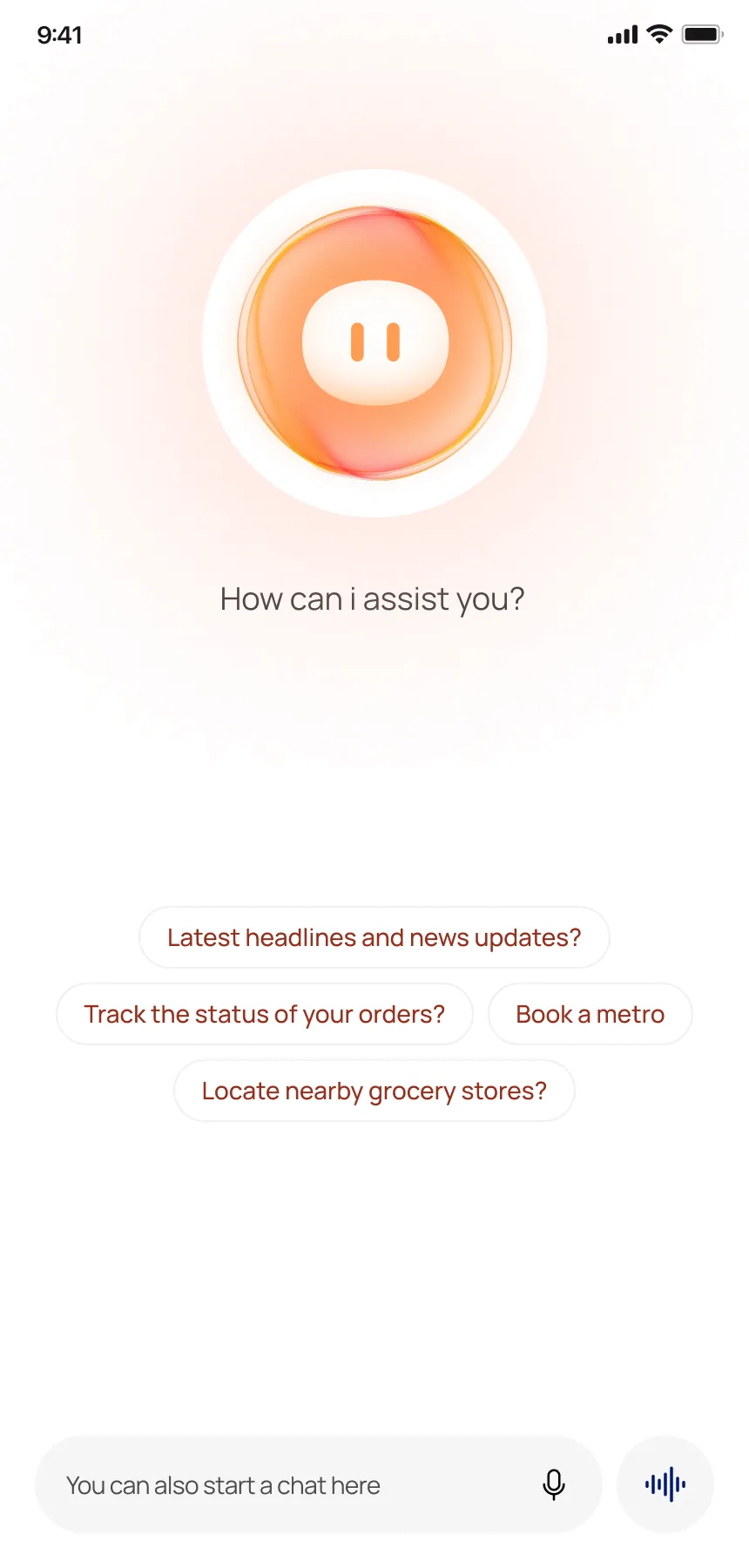
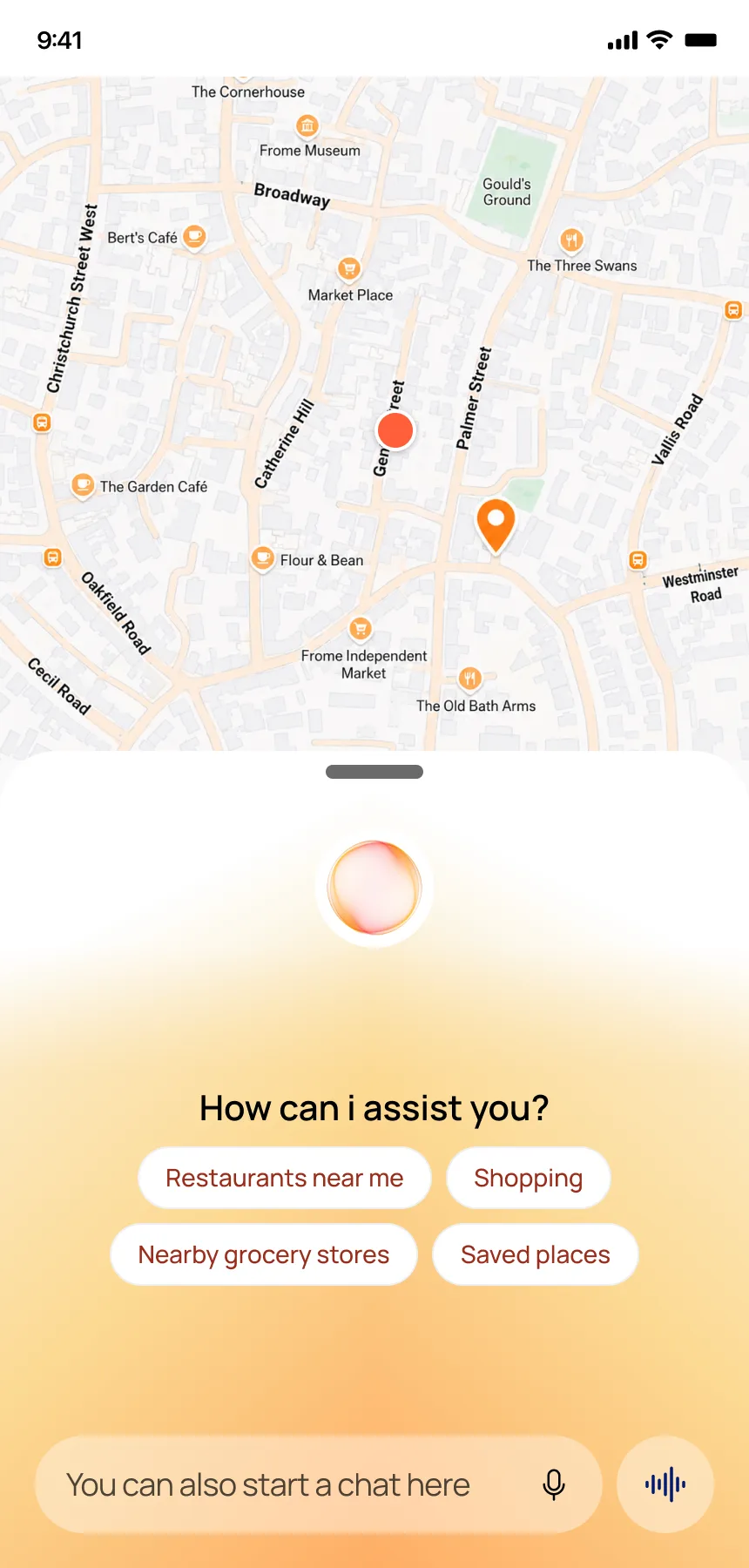
AI as a companion — four entry points
Shared checkout
Can You Buy
Without Leaving
the Chat?
AI transactional chat
The Design Bet
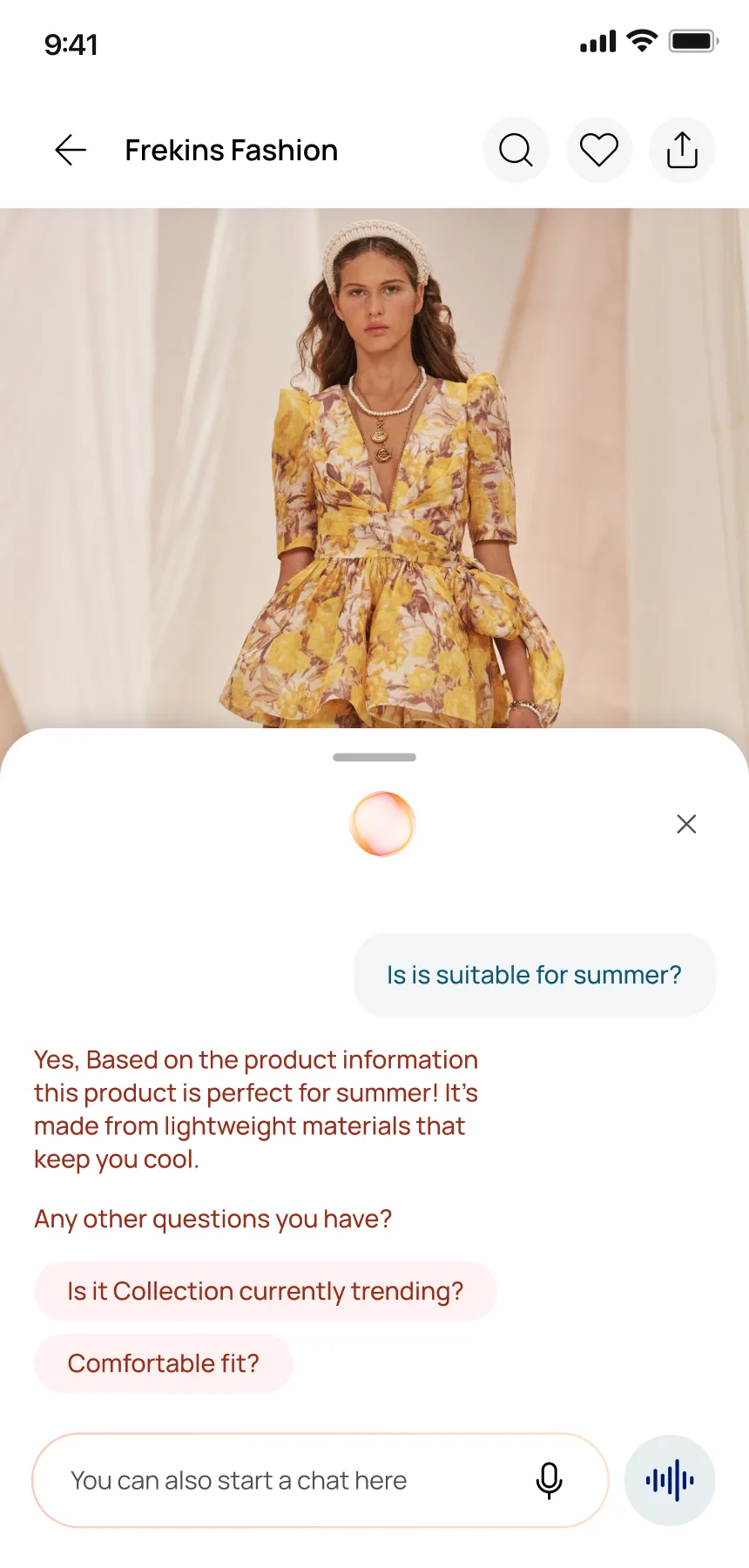
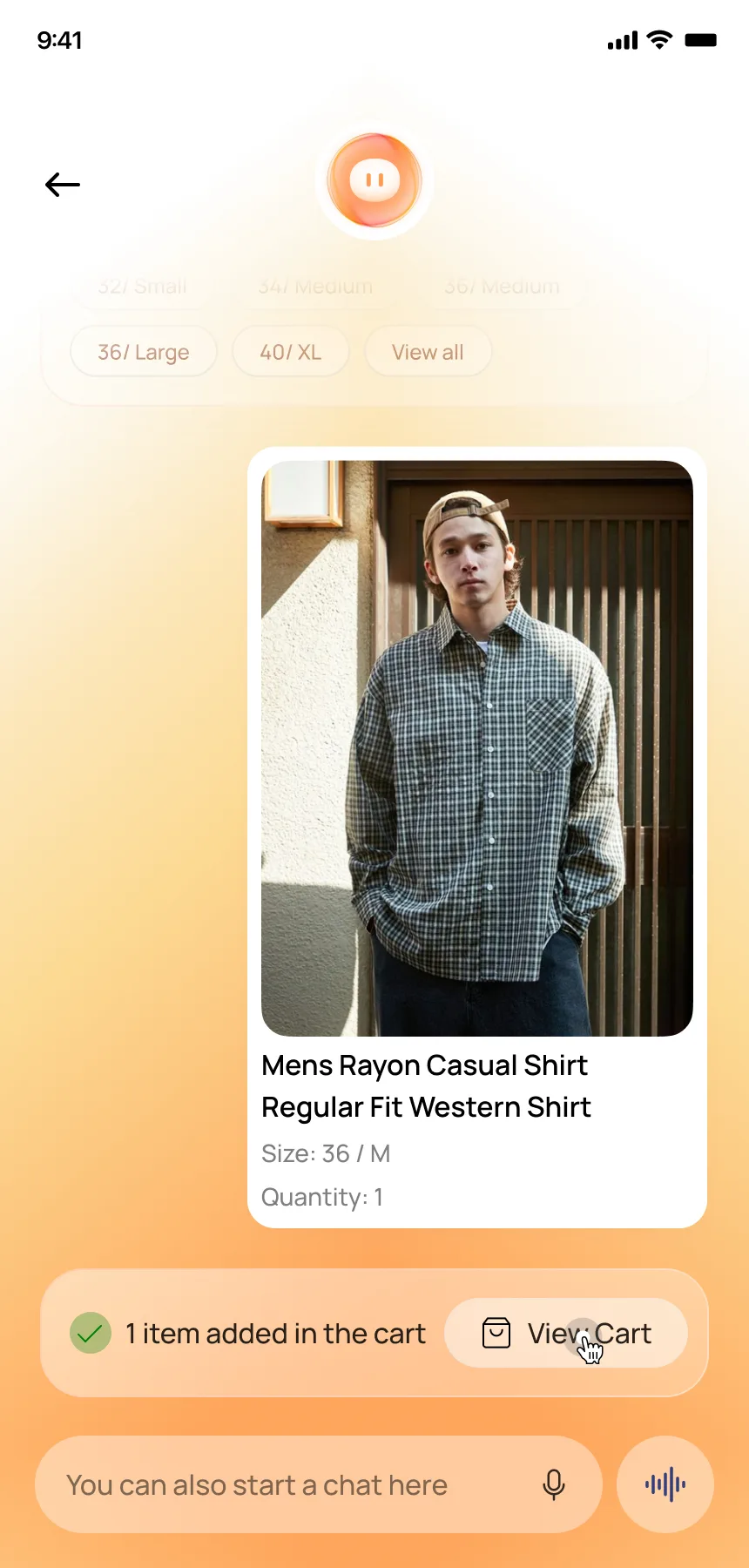
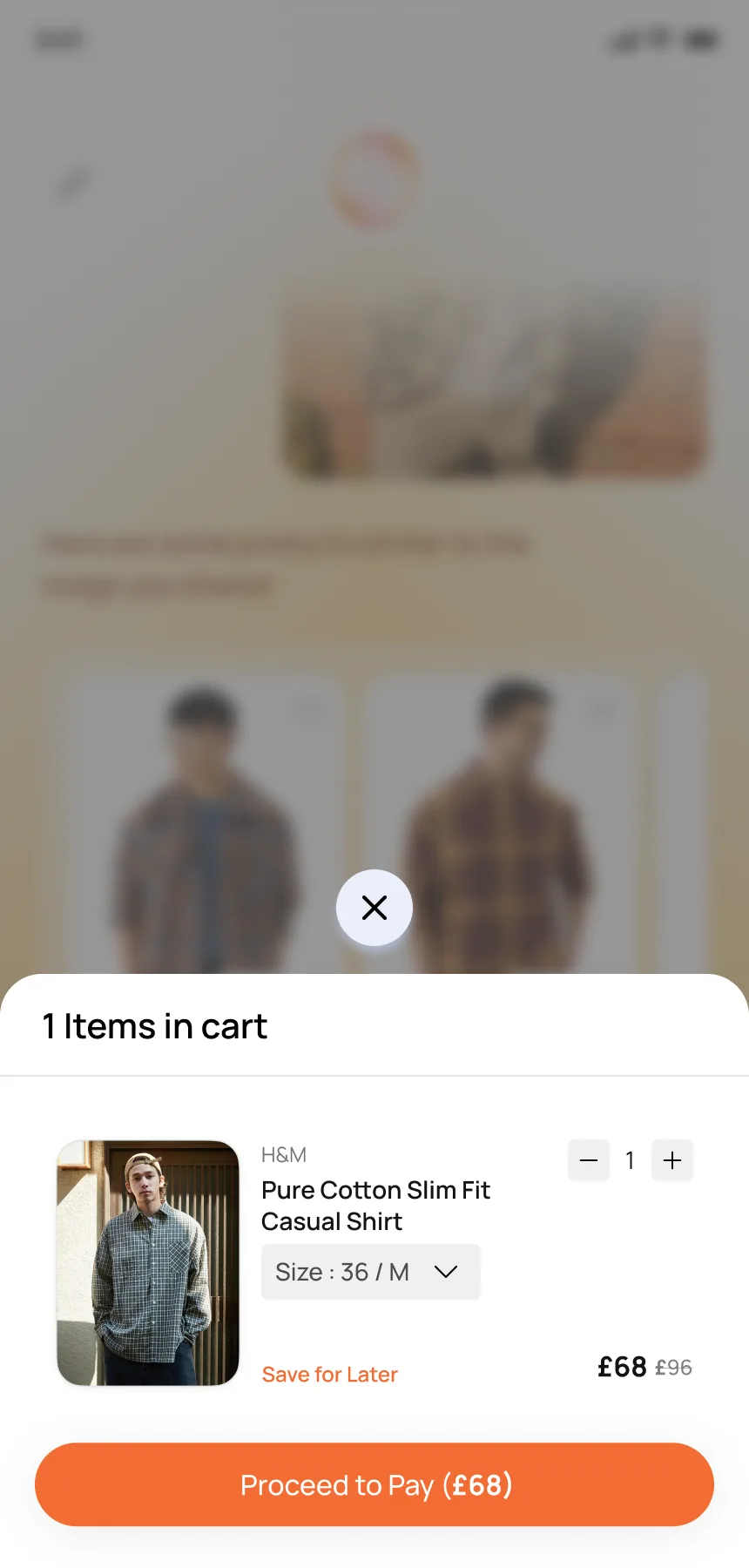
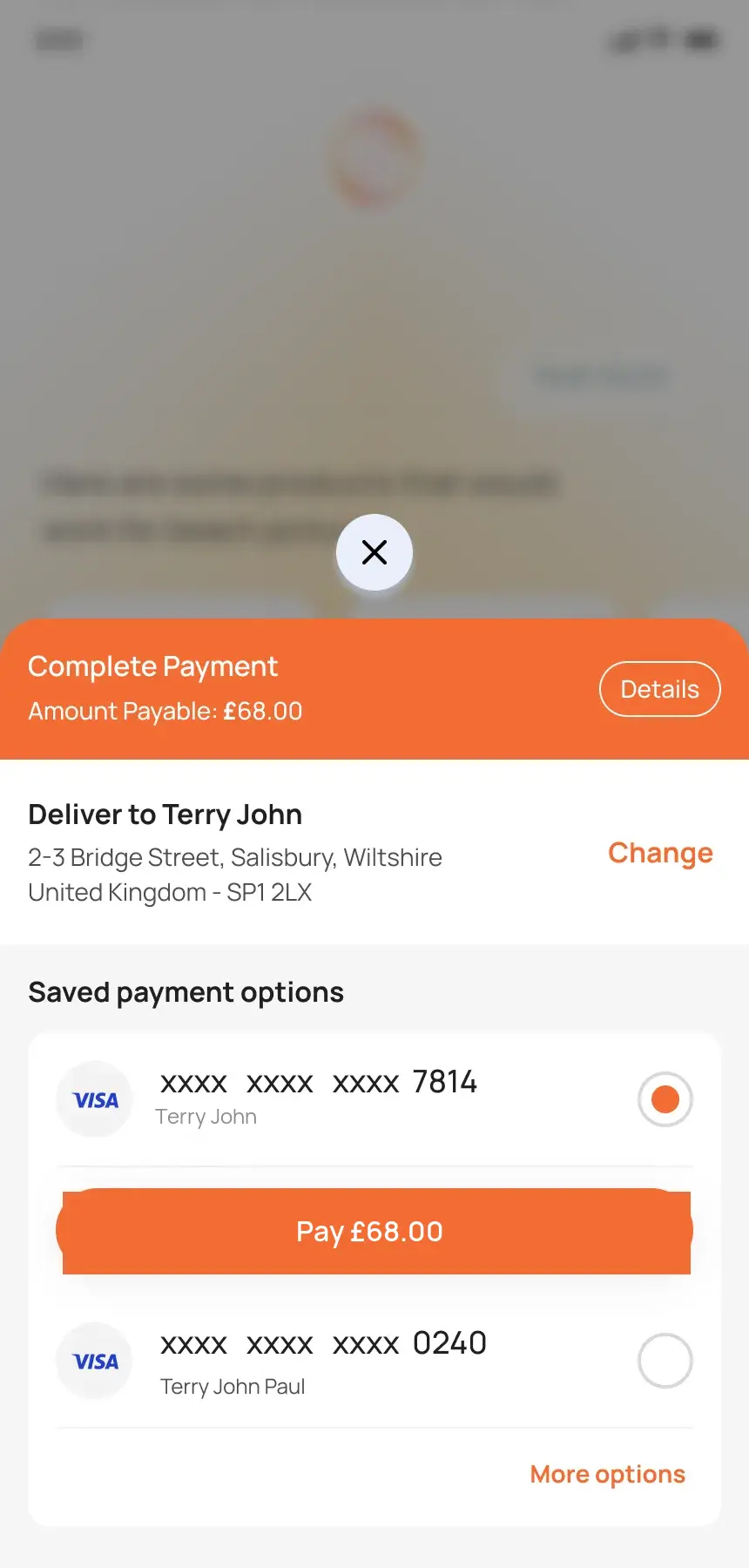
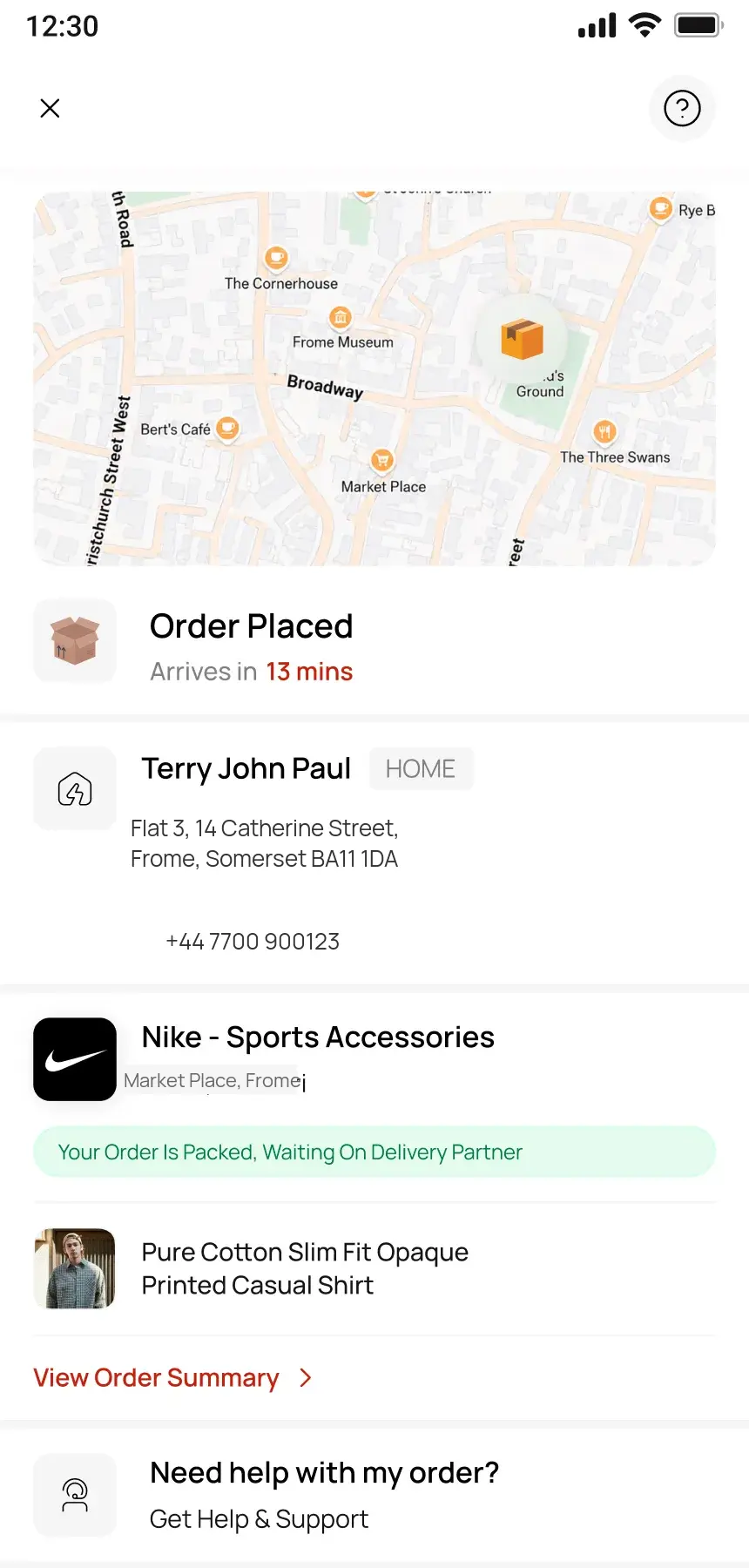
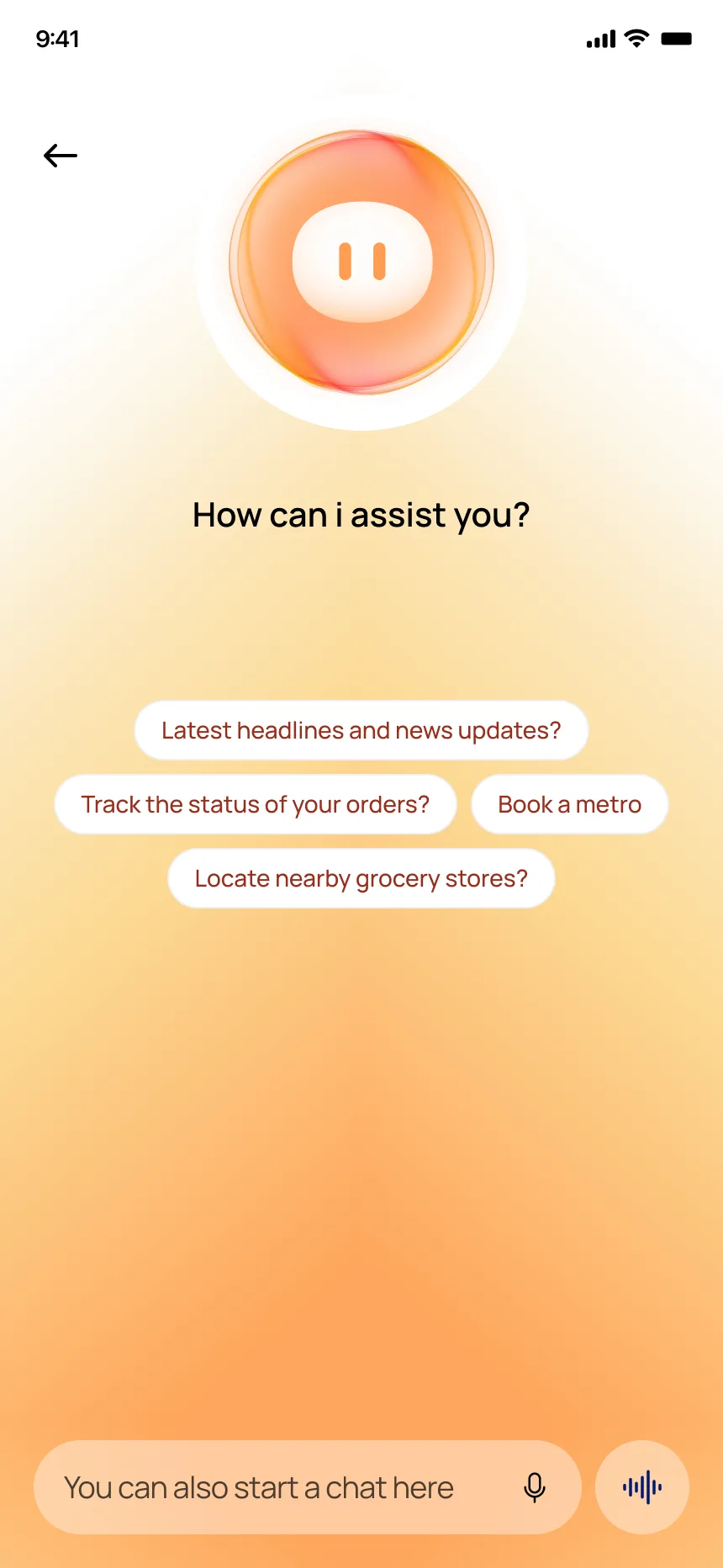
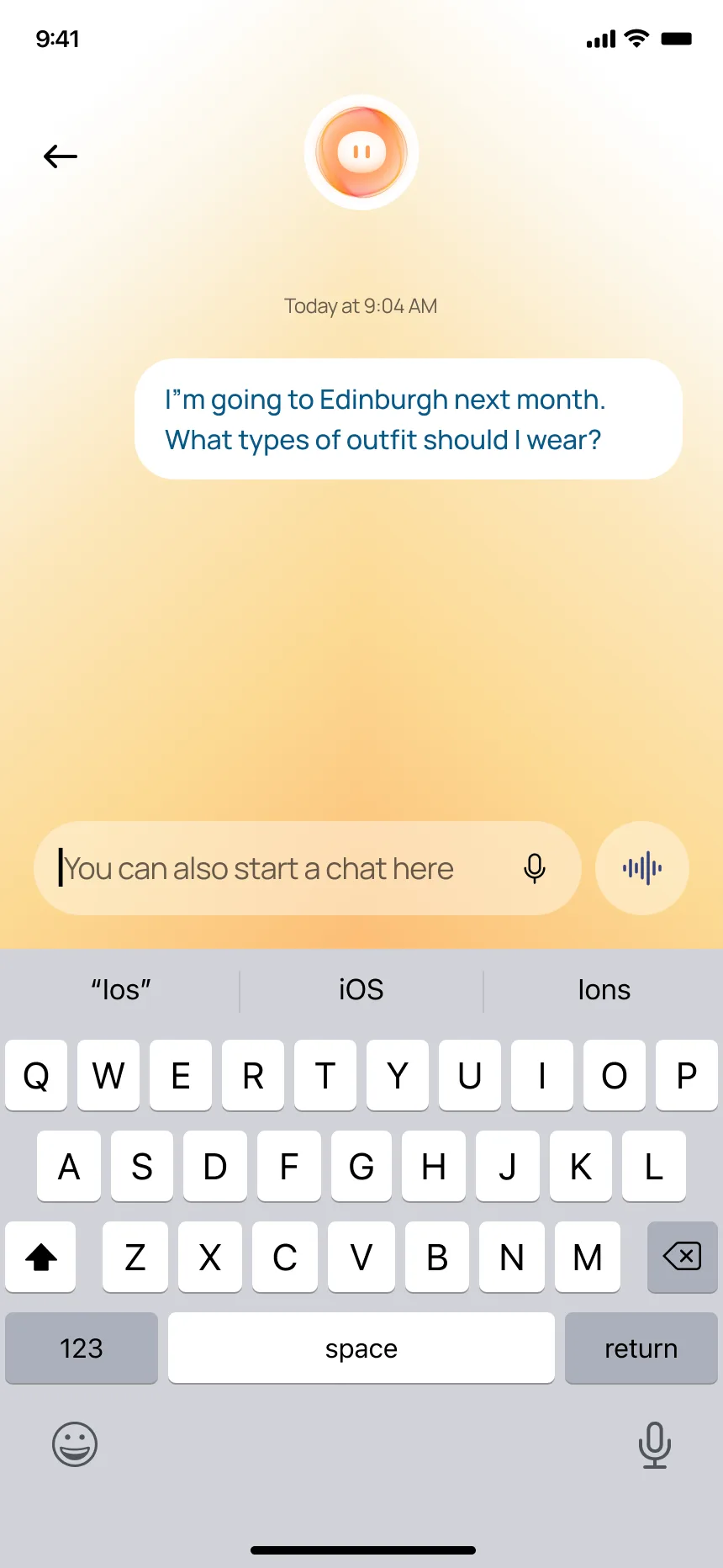
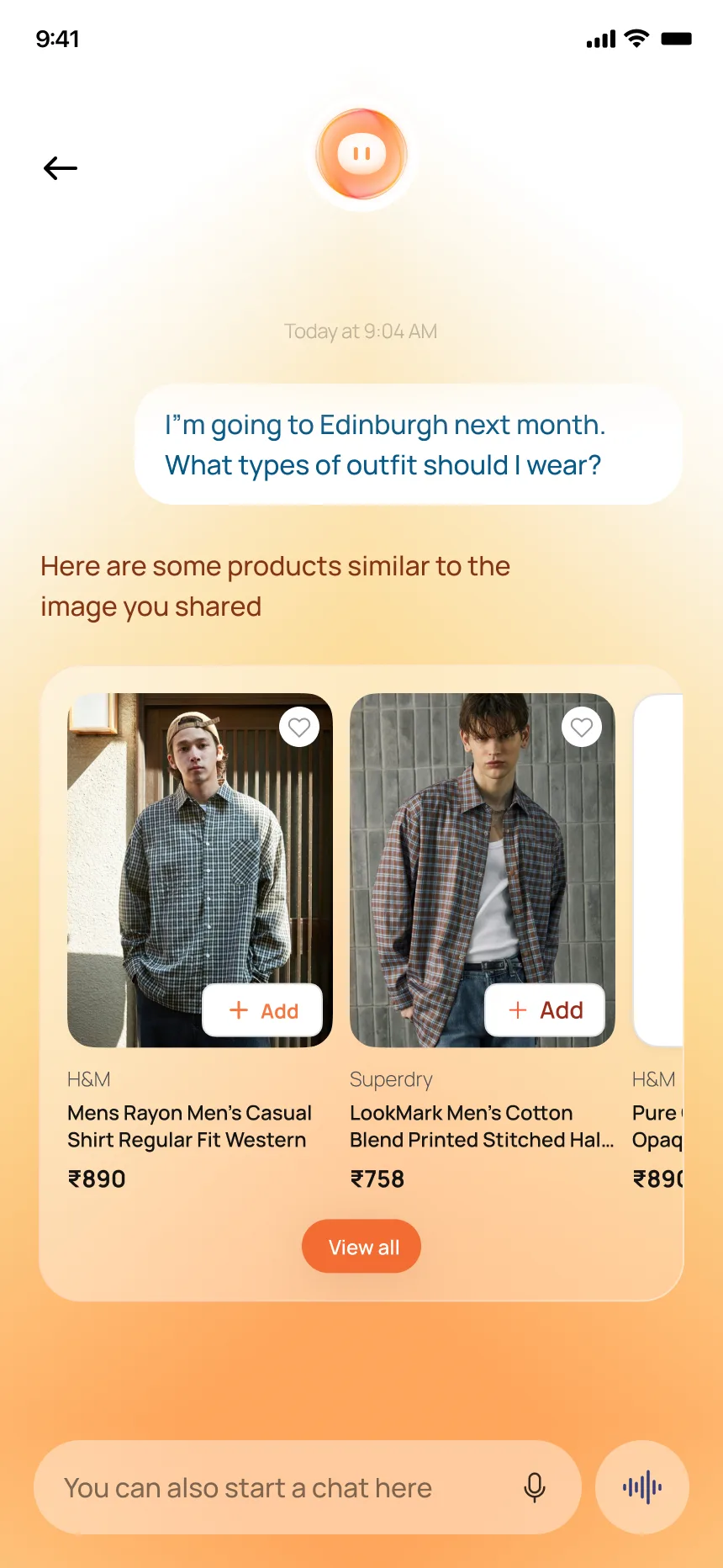
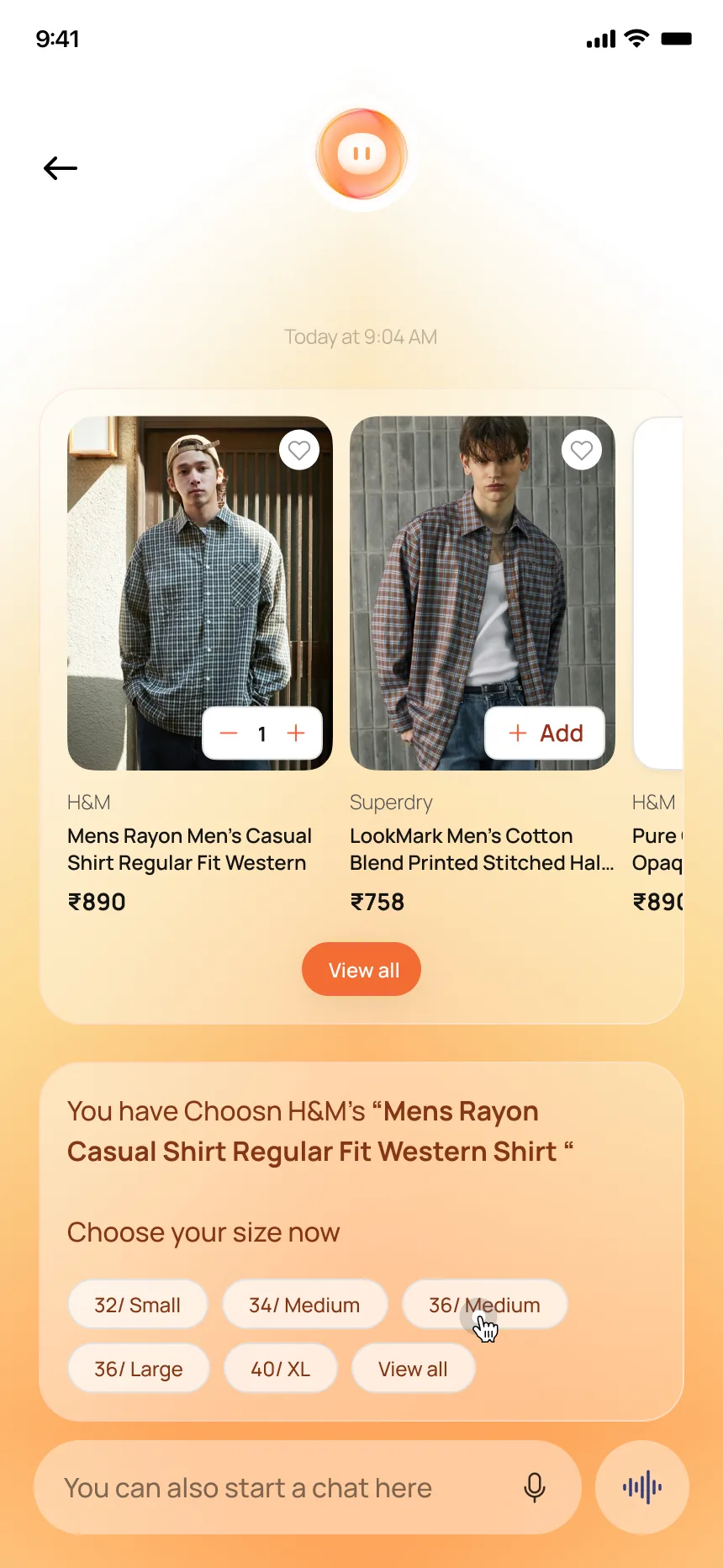
Existing AI assistants recommend products and then hand the user back to conventional checkout flows. Klarna navigates to a product page. Amazon Rufus links out. This concept explores keeping the entire transaction inside the conversation: ask a question, get product recommendations with images and prices, add to cart, select a size, and confirm — without ever leaving the chat.
Ask → Browse → Buy — inside the chat
One Search Bar.
Three Domains.
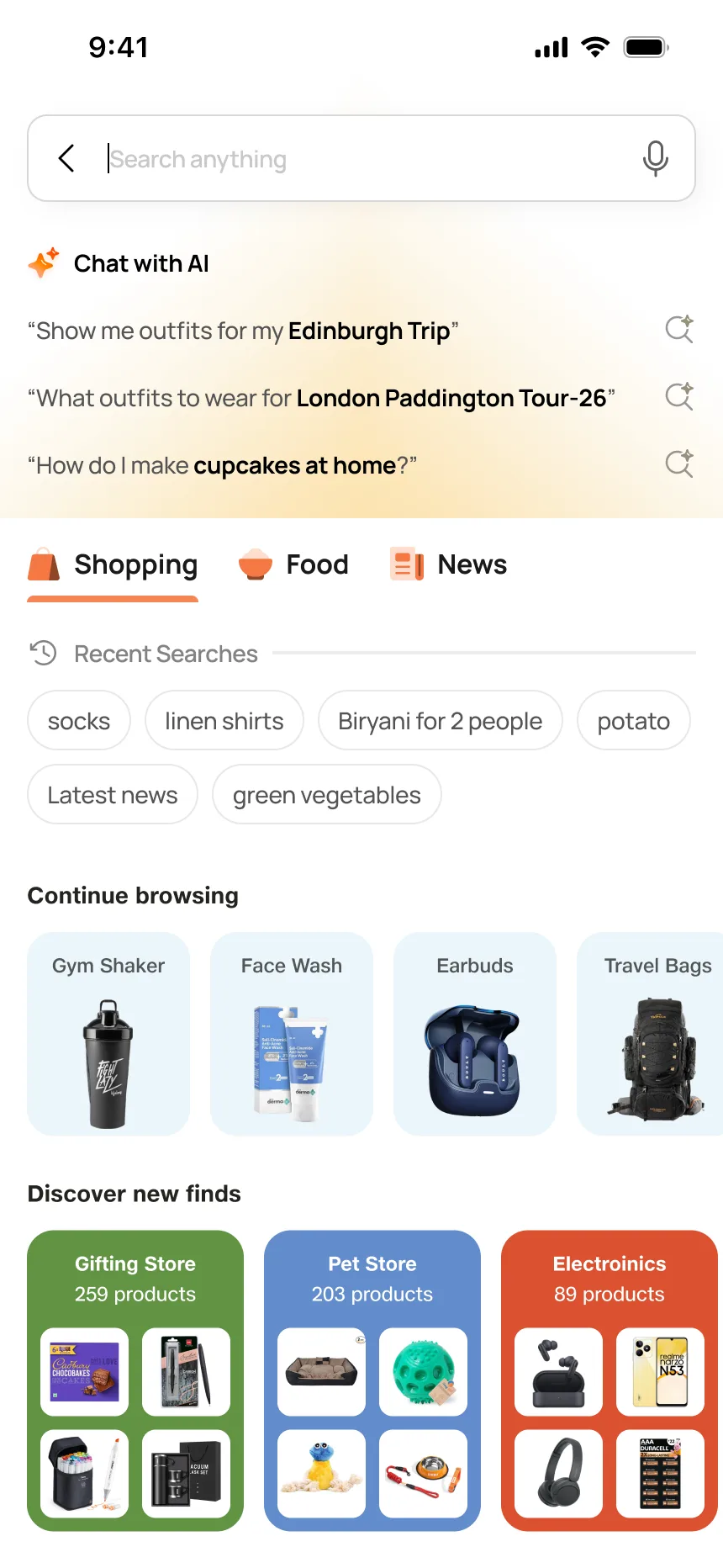
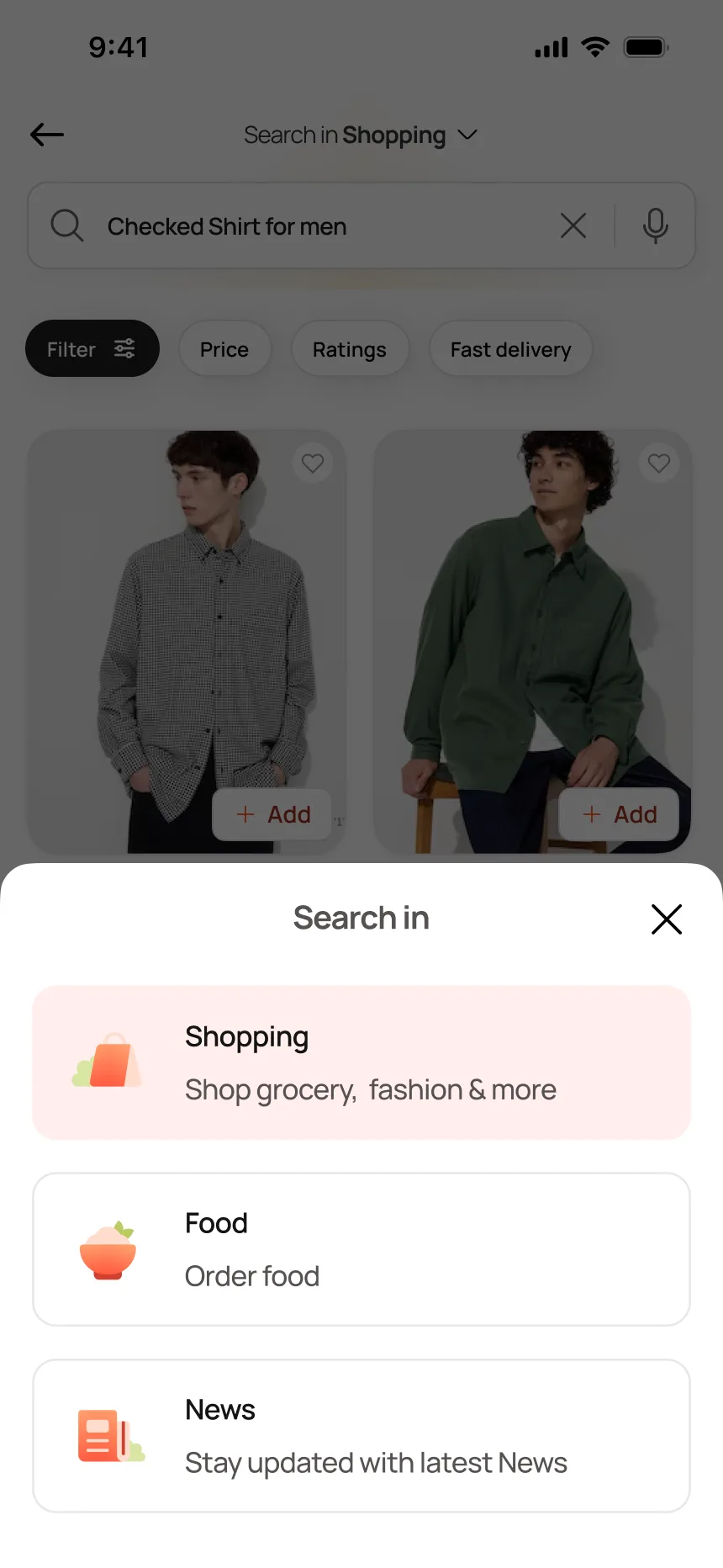
Intent-based search
The Decision
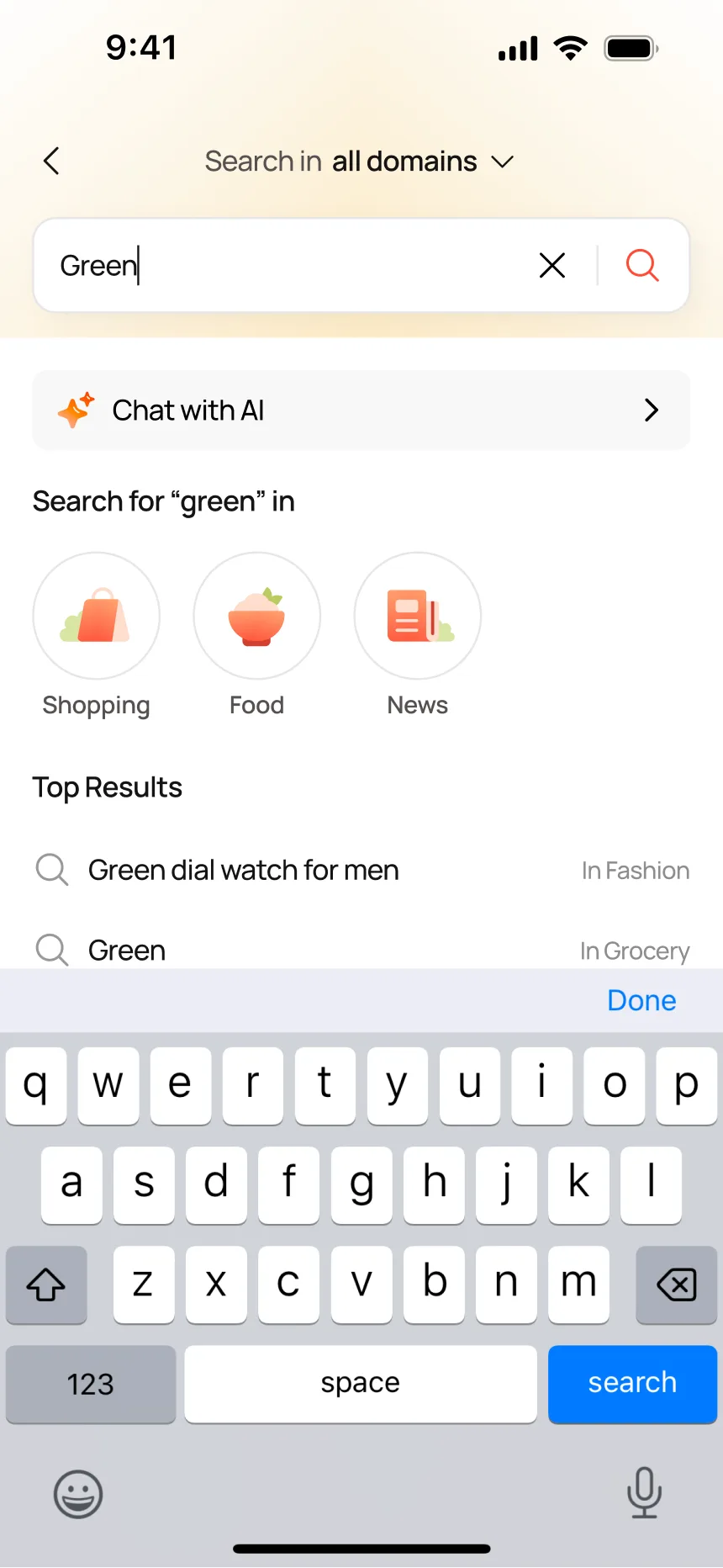
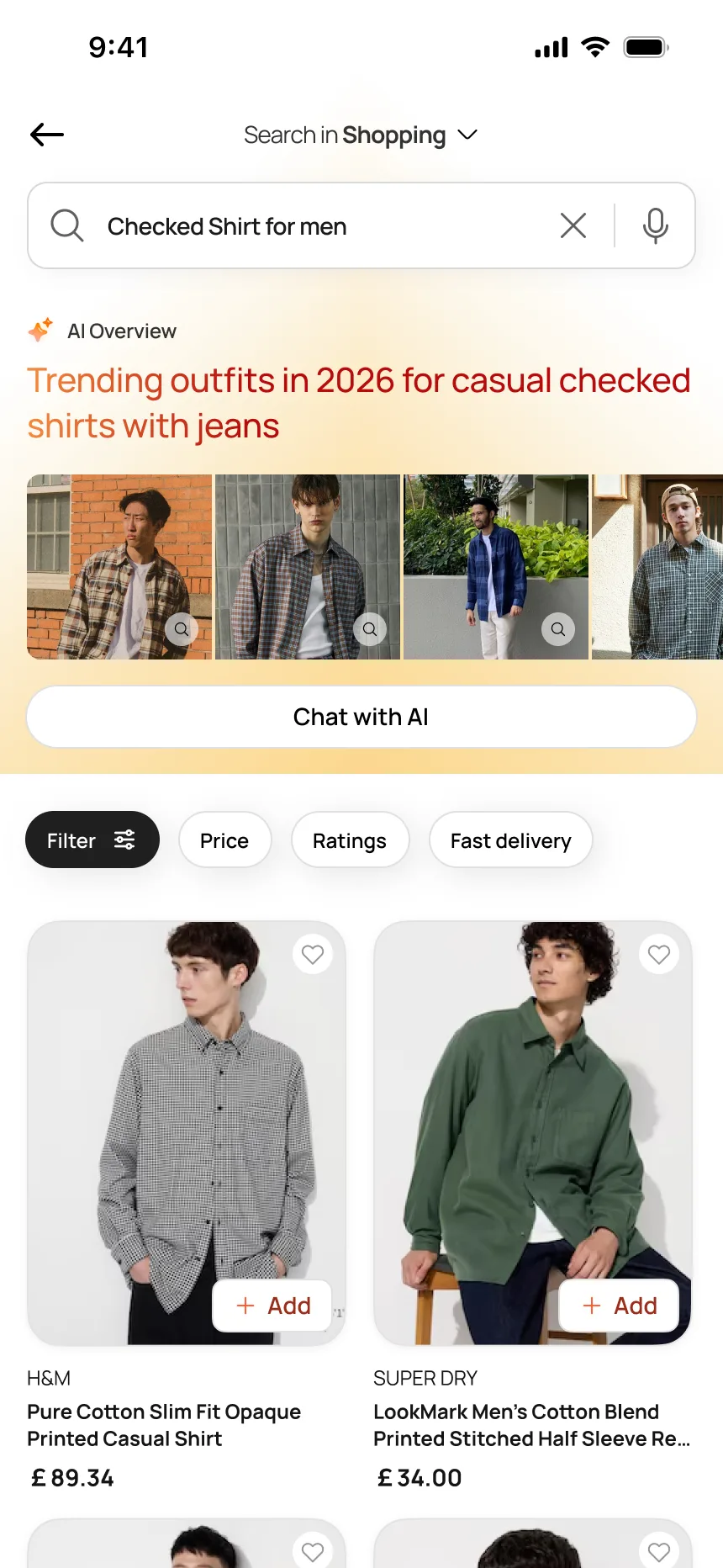
Type "Green" and the system resolves it across domains simultaneously: a green dial watch in Fashion, green vegetables in Grocery. The user can search in all domains at once or narrow to Shopping, Food, or News through a domain selector. The AI Overview generates trending context and image carousels before showing product results. One input, three domains, the system resolves intent.
Search → Resolve → Results
5 Kilometres
Means Different
Things
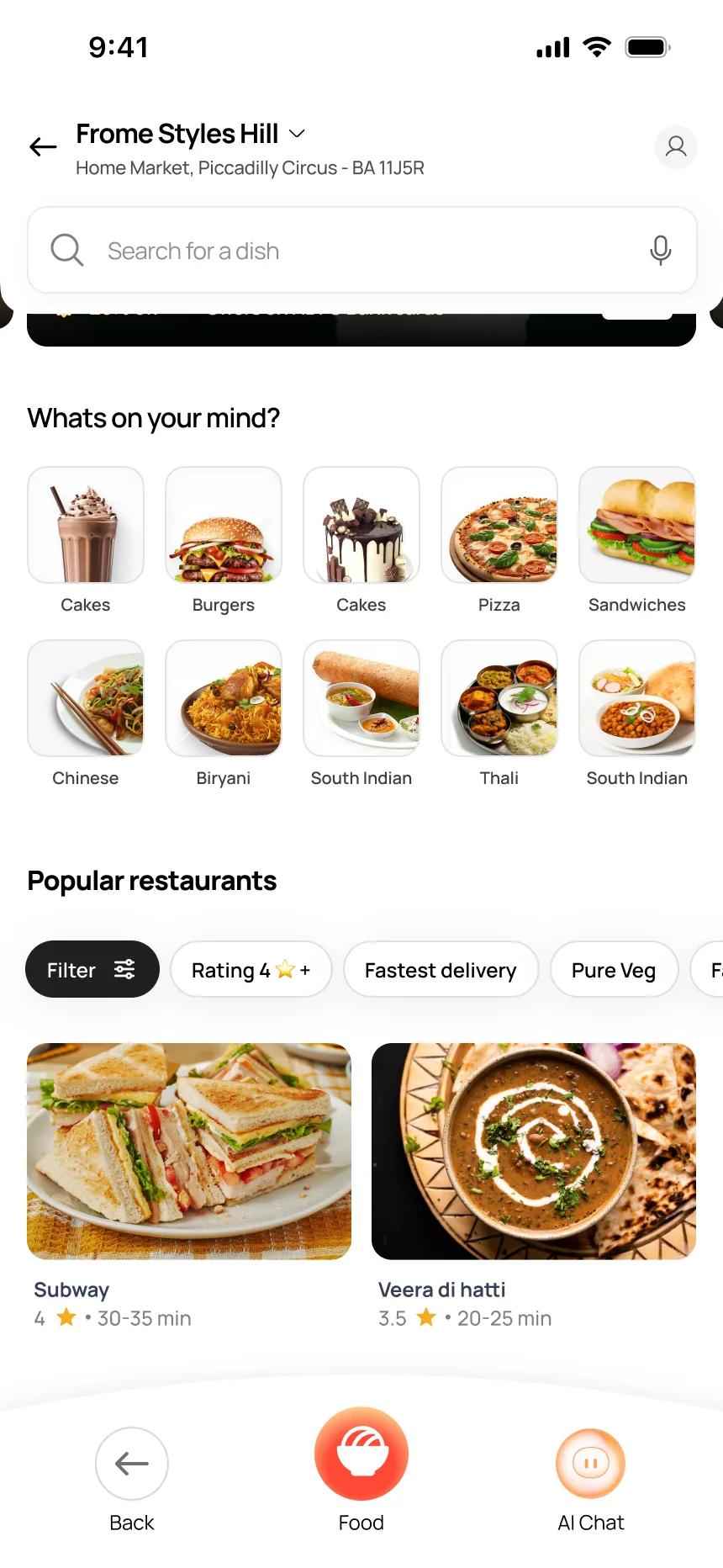
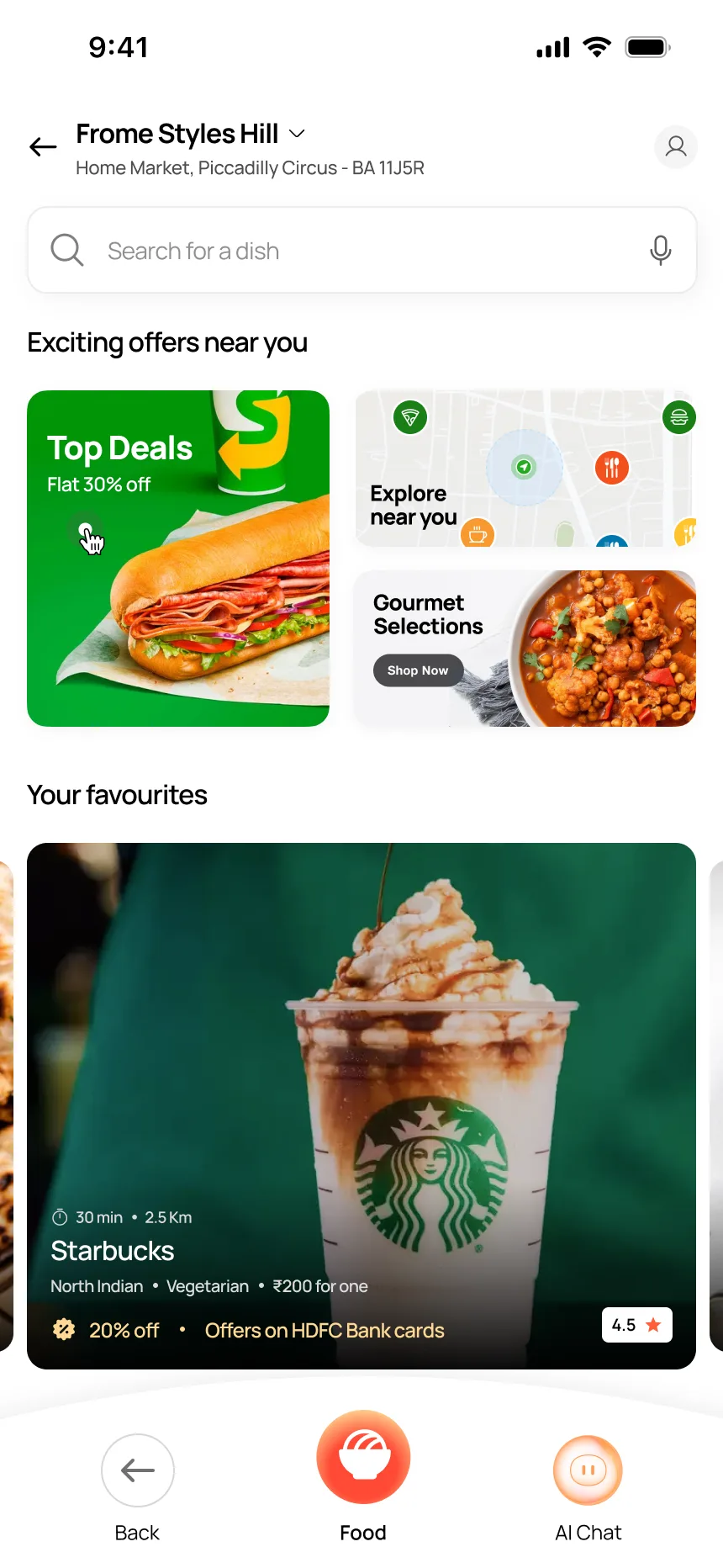
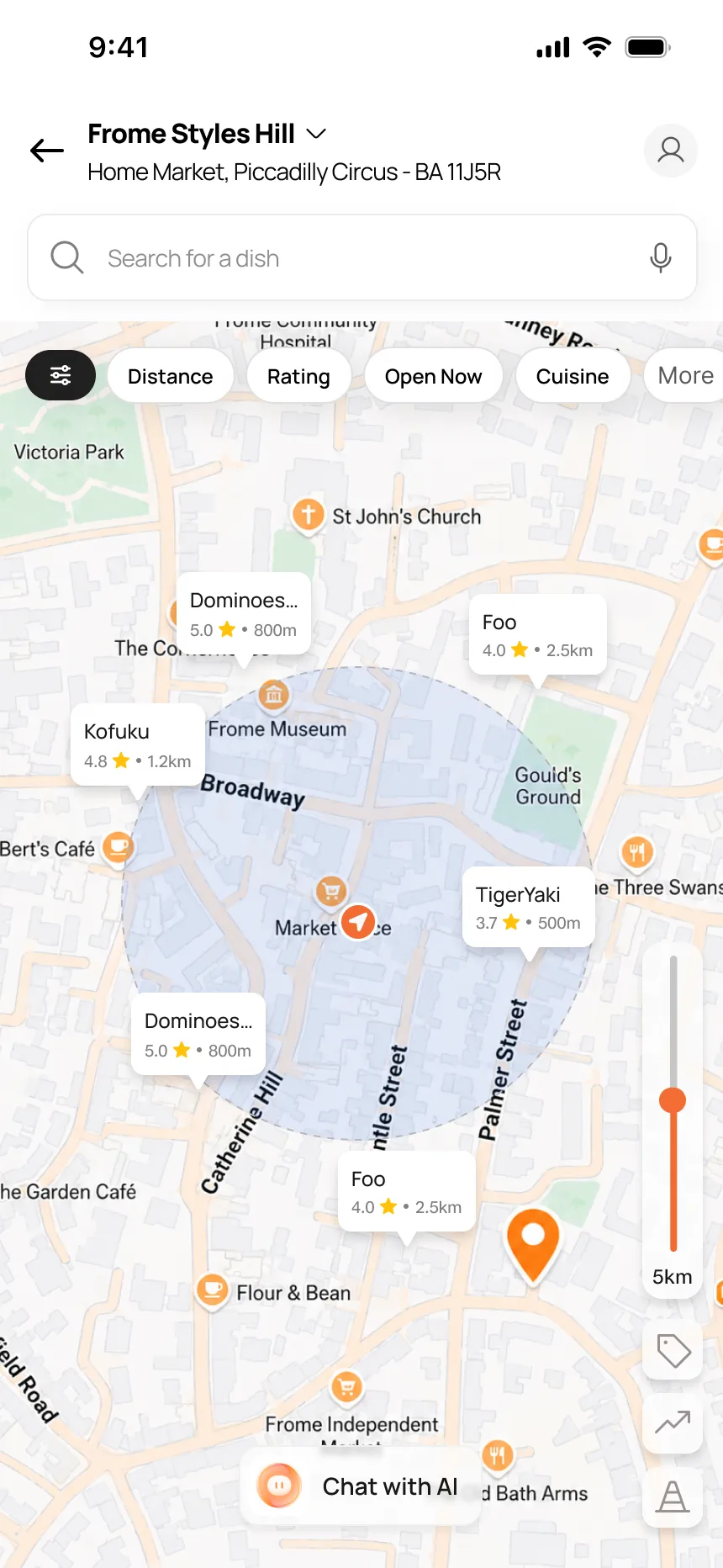
Spatial food discovery
Why Food Is Different
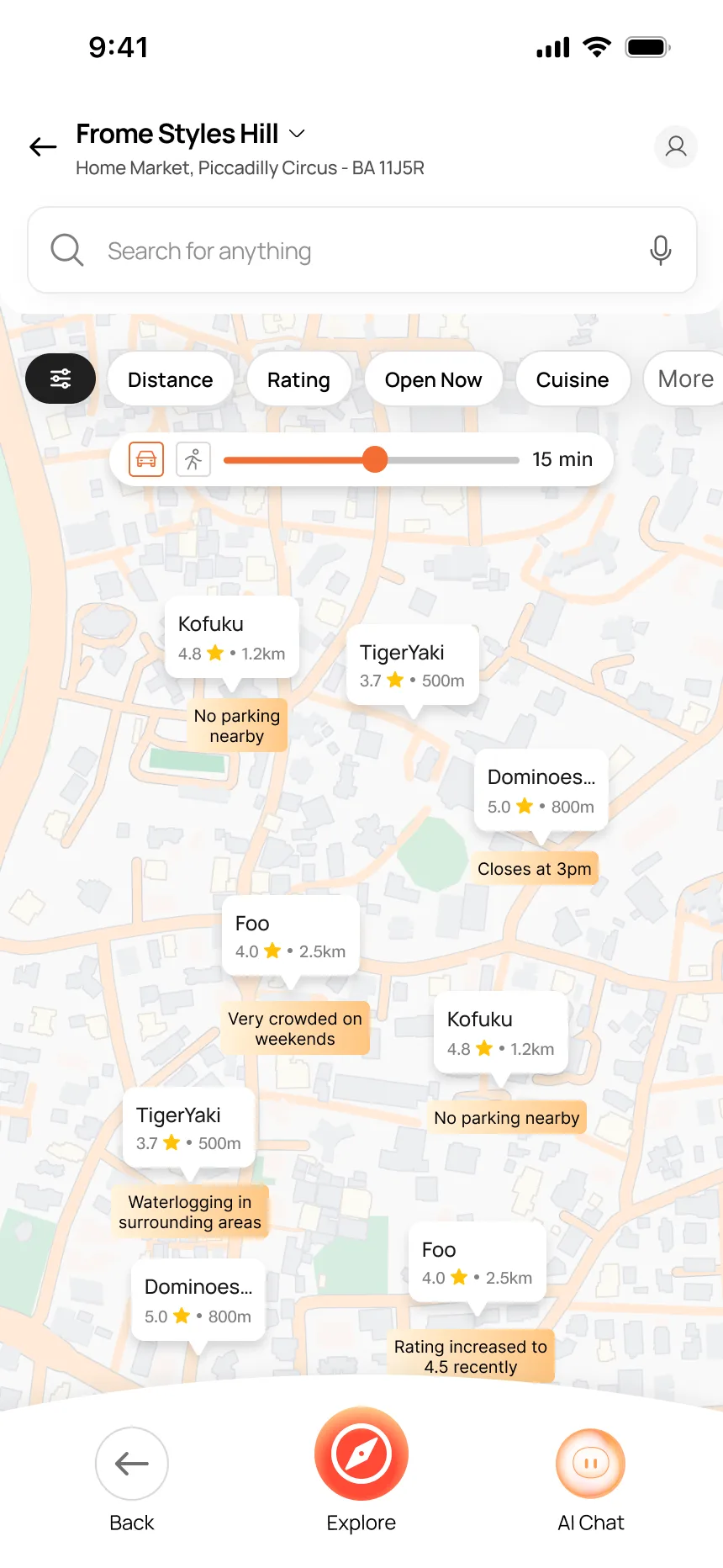
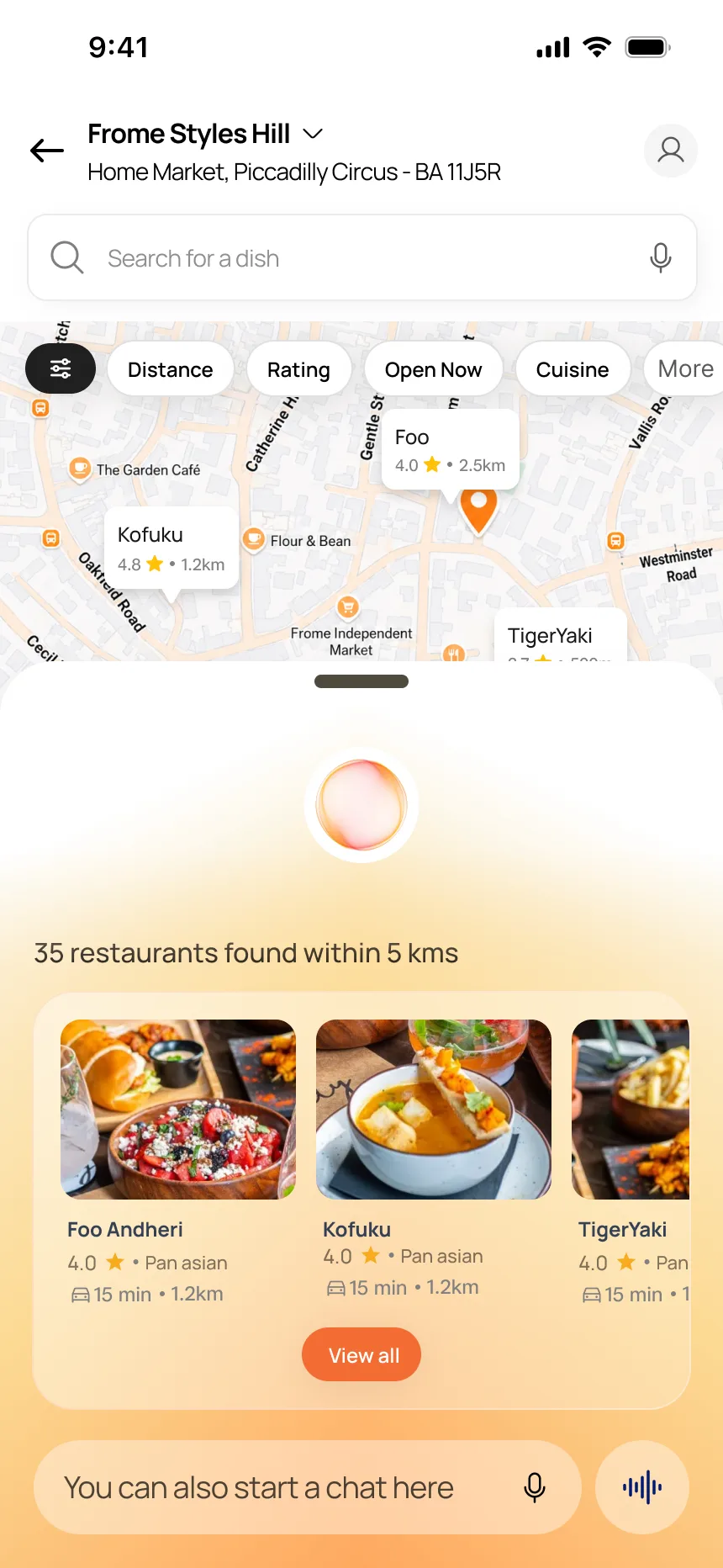
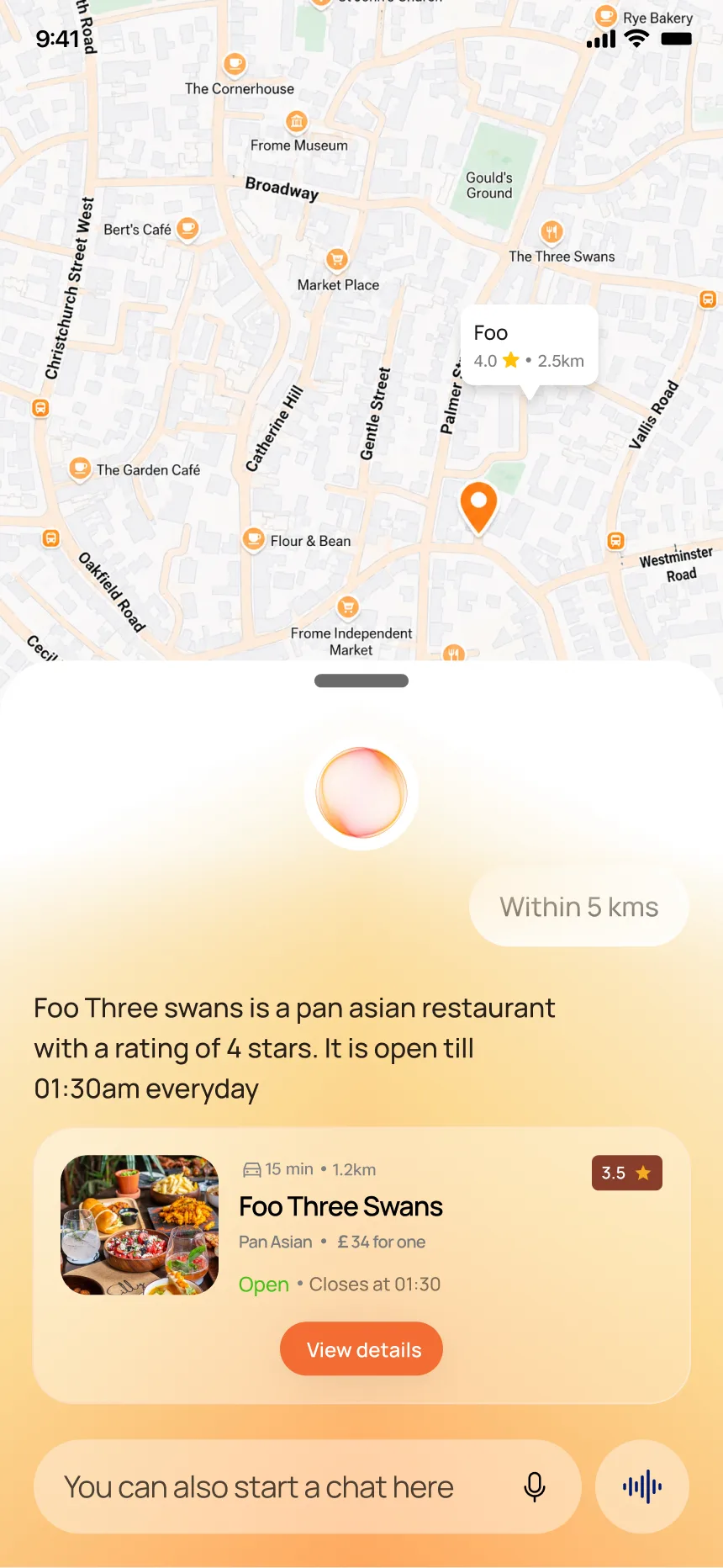
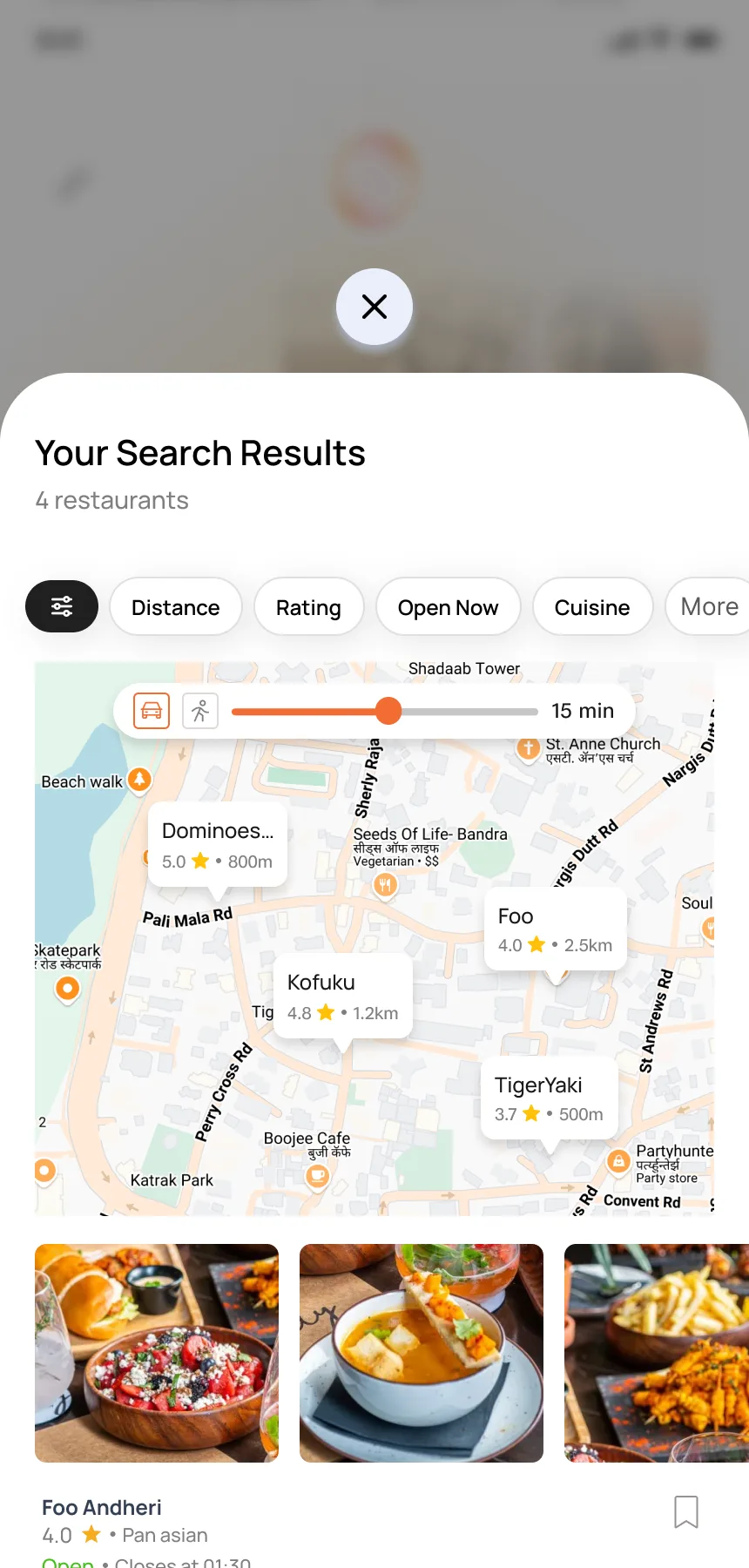
Restaurant choice is spatial. Where something is relative to you, how long it takes to get there, what is open now — these matter more than an algorithm sorting a list. Sorted opens with a location-aware home, then lets you explore a map with restaurant pins, filter by distance, rating, and cuisine, and ask the AI for recommendations without leaving the map.
Discovery to recommendation
What the AI Adds
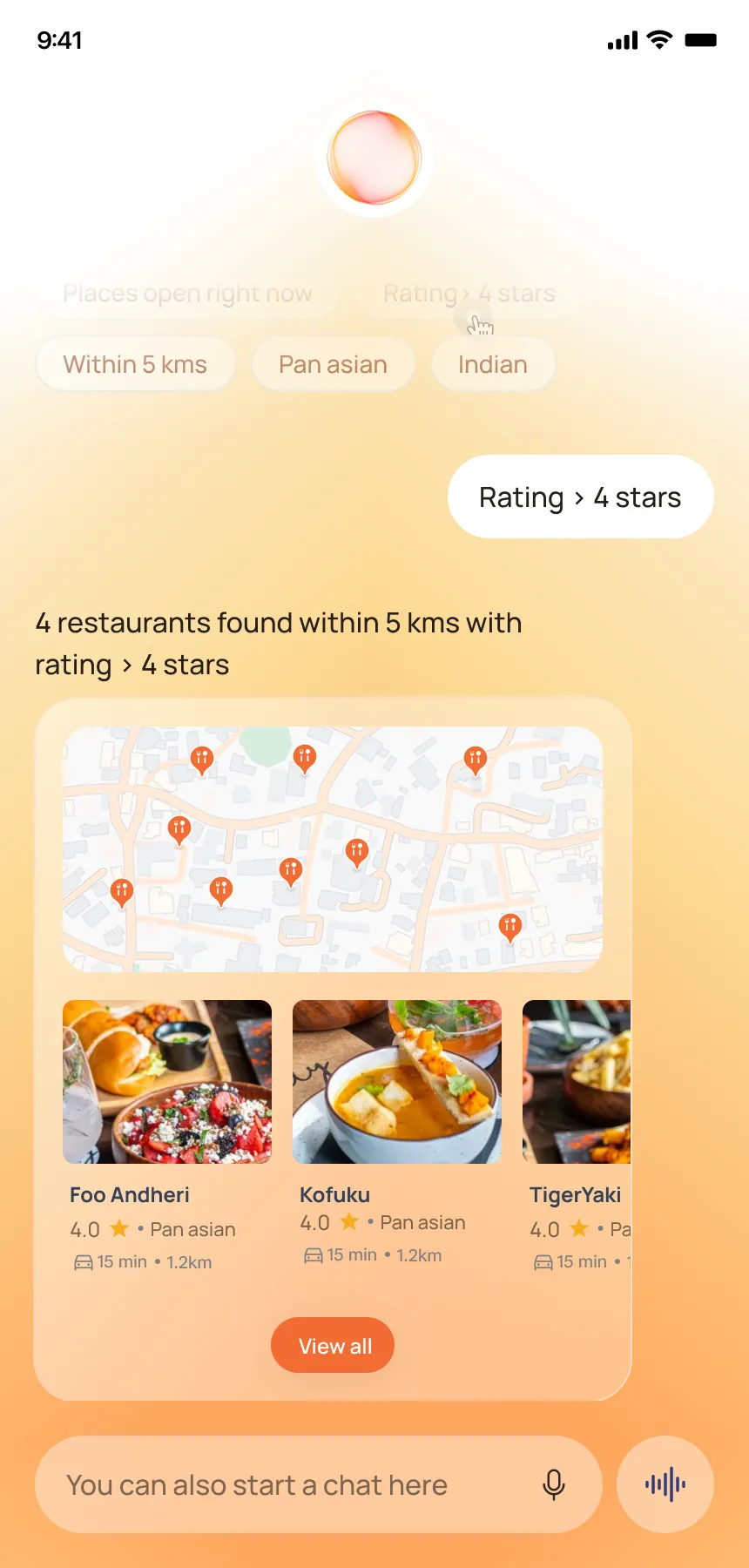
The AI sits on top of the map as a bottom sheet. It tells you how many restaurants are within your radius, describes individual restaurants in natural language ("Foo Three Swans is a pan asian restaurant with a rating of 4 stars"), and surfaces a restaurant card with distance, price, and hours. The user can also type a question in the chat input. The map stays visible behind the AI — context and conversation in the same view.
A Shirt and a
Milk Packet Cannot
Share a Pattern
Fashion + grocery
The Trade-Off
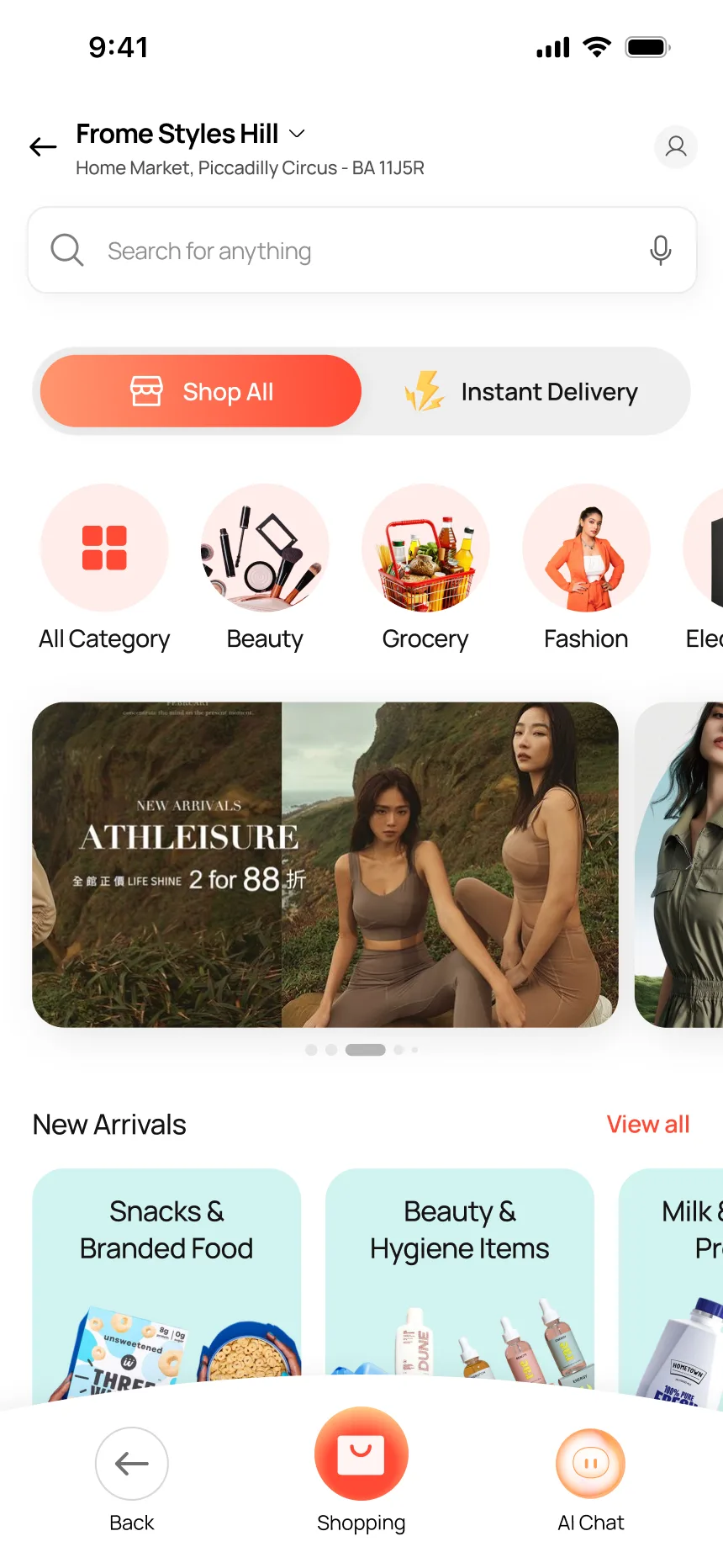
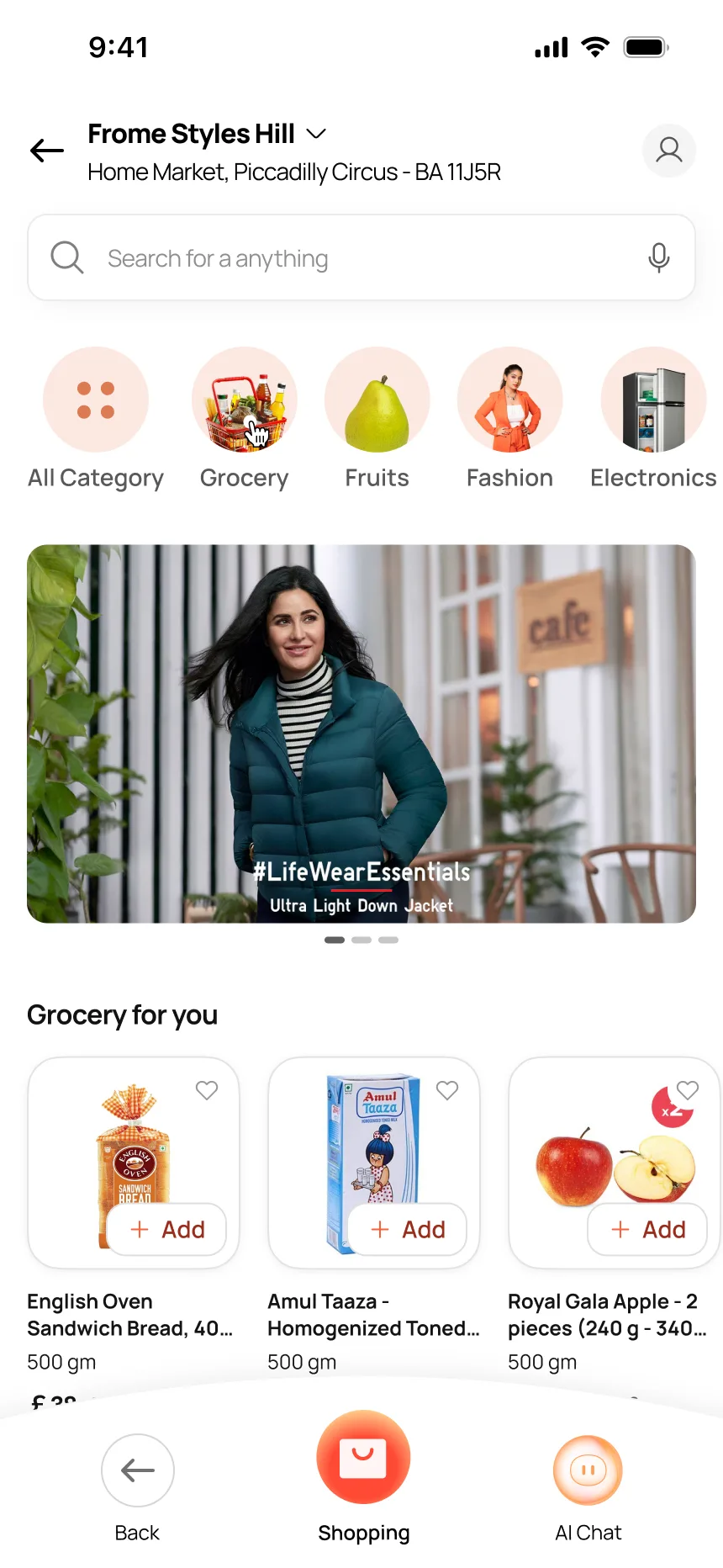
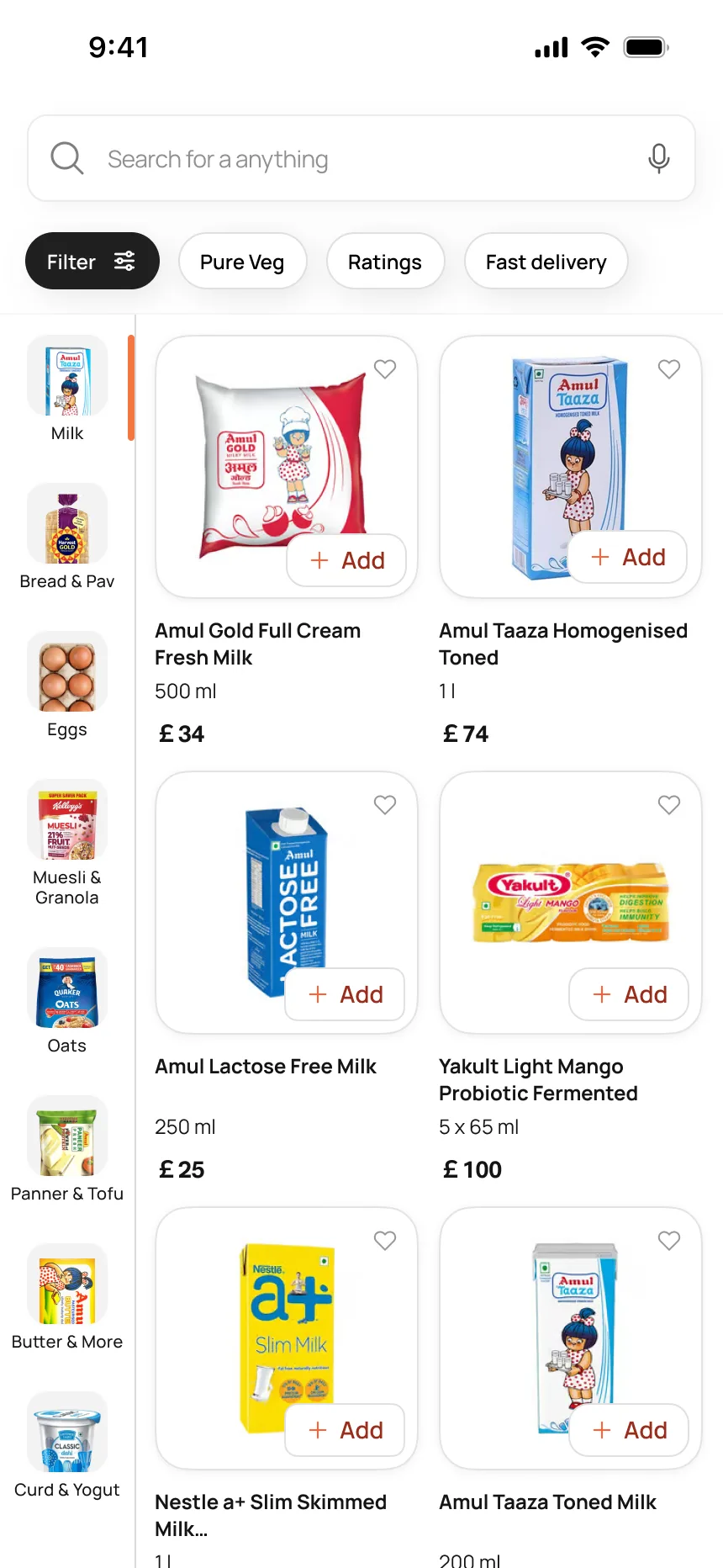
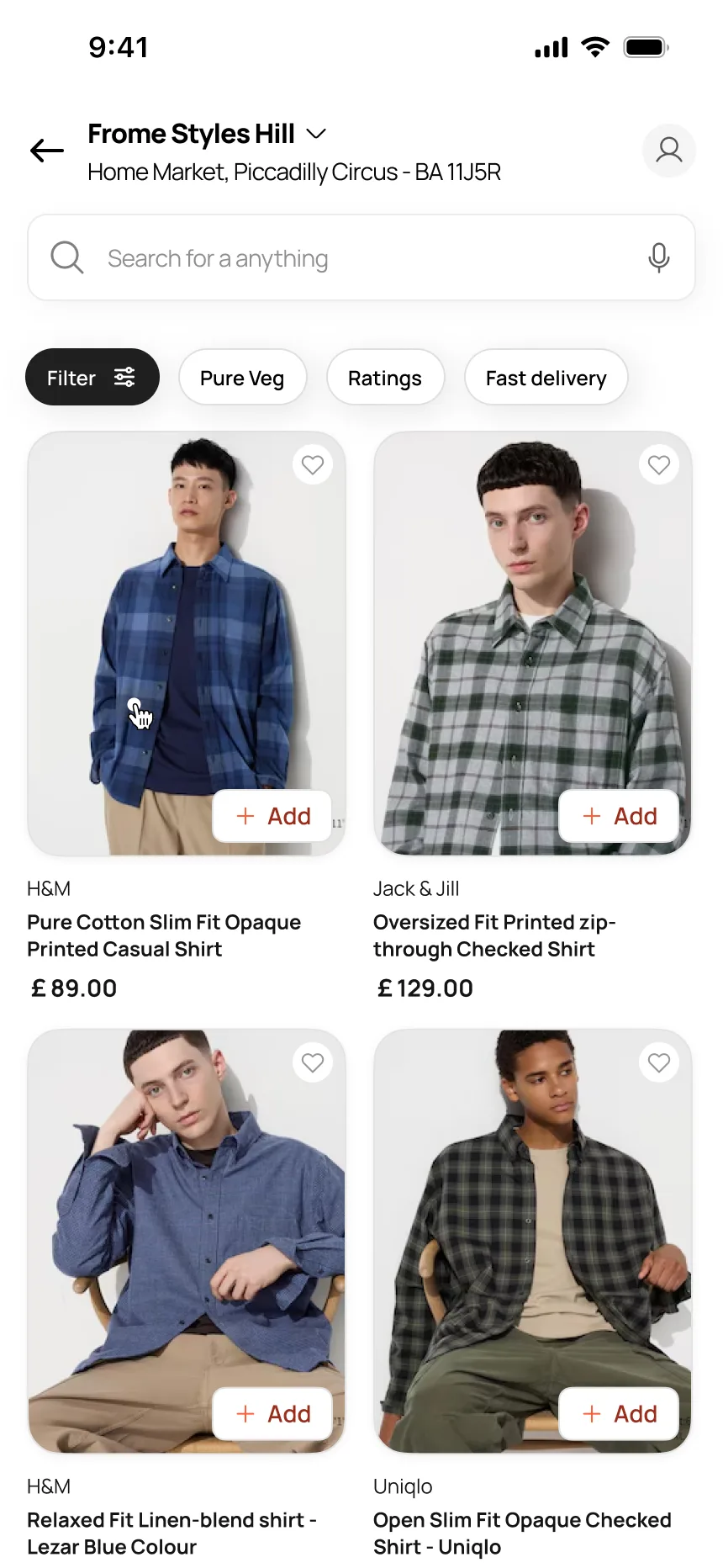
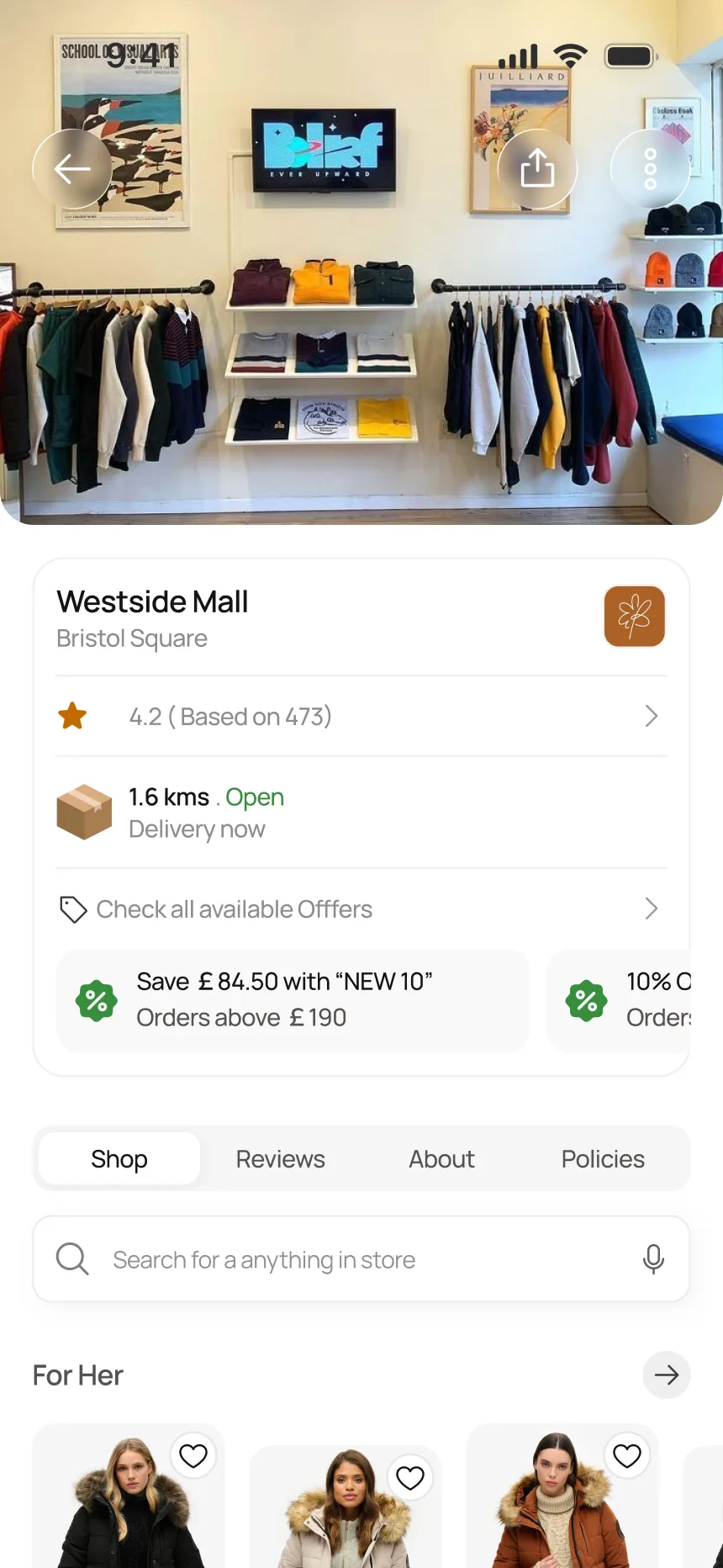
One shopping module serves grocery, fashion, and local stores. Each needs a different browsing pattern: grocery needs category sidebars and quick-add for repeat purchases. Fashion needs large imagery and brand discovery. Local stores need a storefront with reviews, distance, and offers. Forcing all three into the same layout would weaken each. The decision: one shopping home that branches into three distinct browsing experiences, all sharing the same checkout.
One home, three browsing patterns
Design Principle
Same navigation.
Every context
knows where you are.
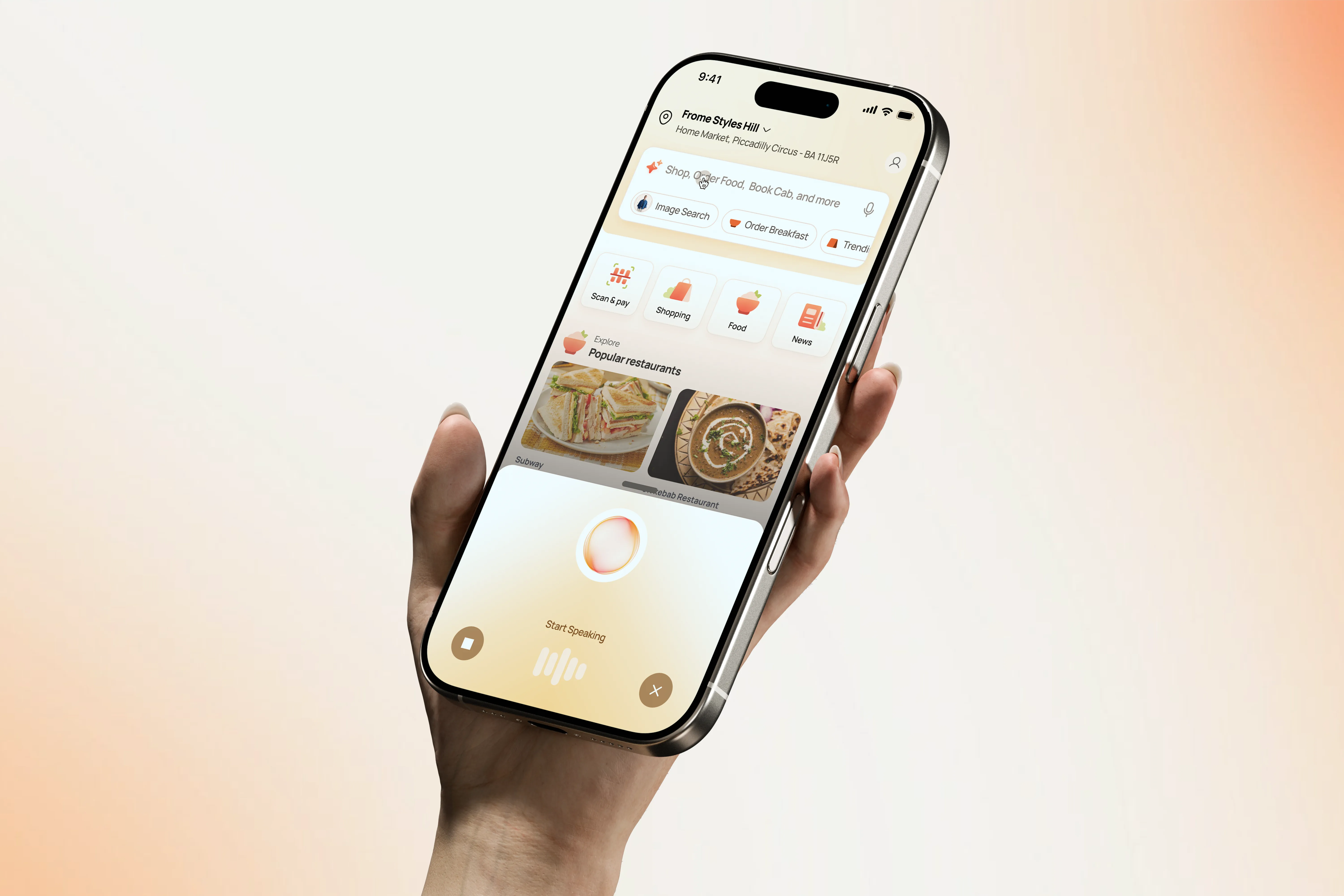
AI Voice Companion
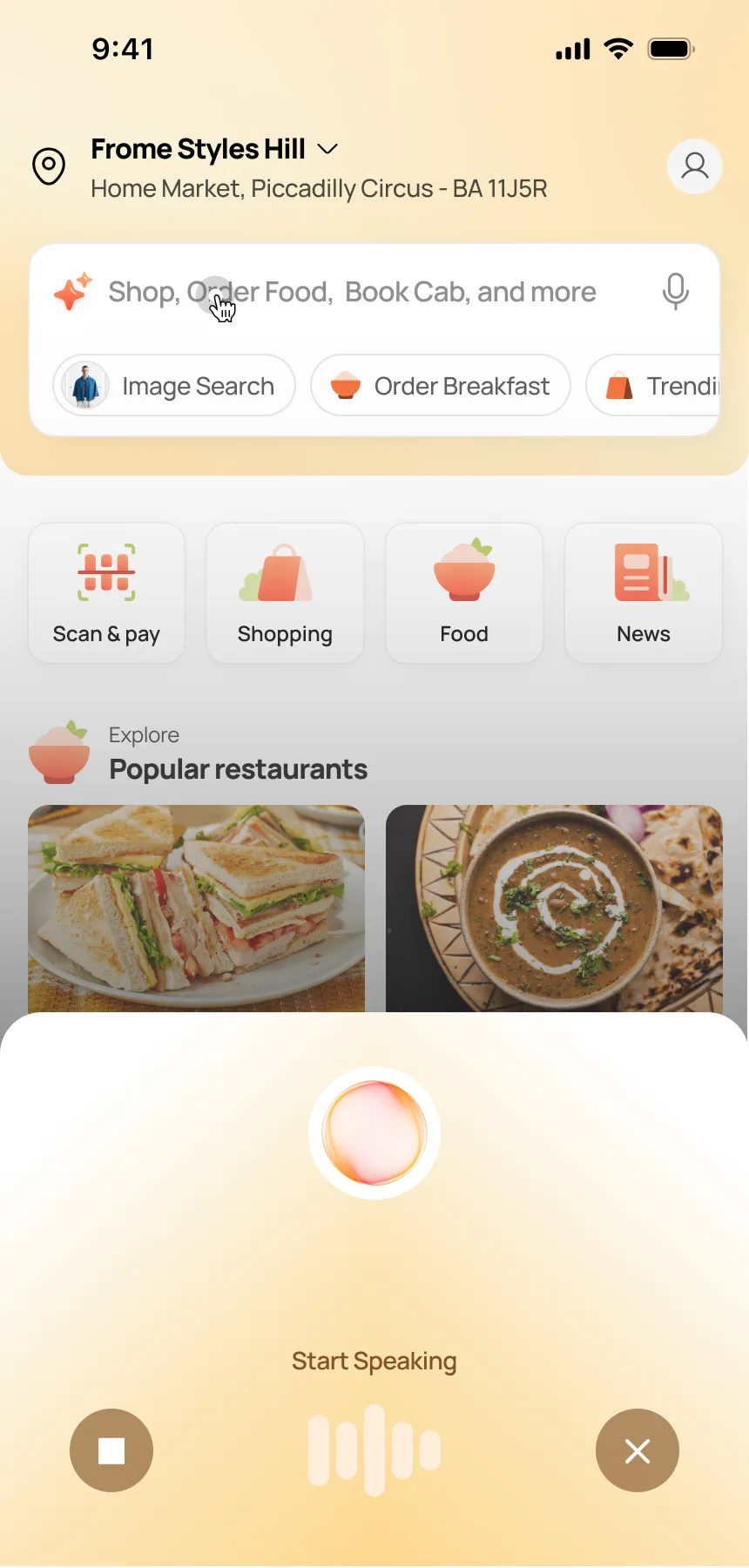
Start speaking from any screen
Smart
Widgets
Live context on the homepage
Why Widgets Matter
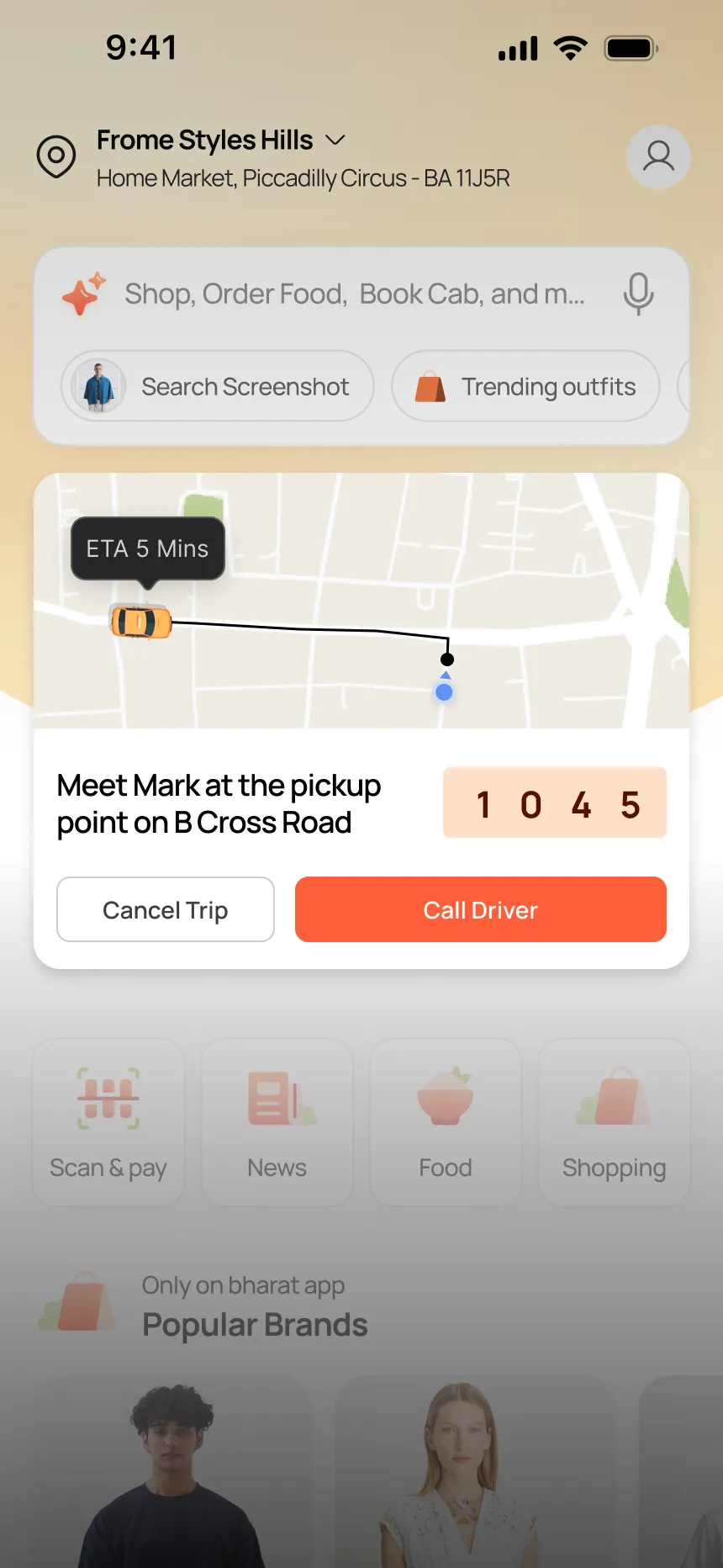
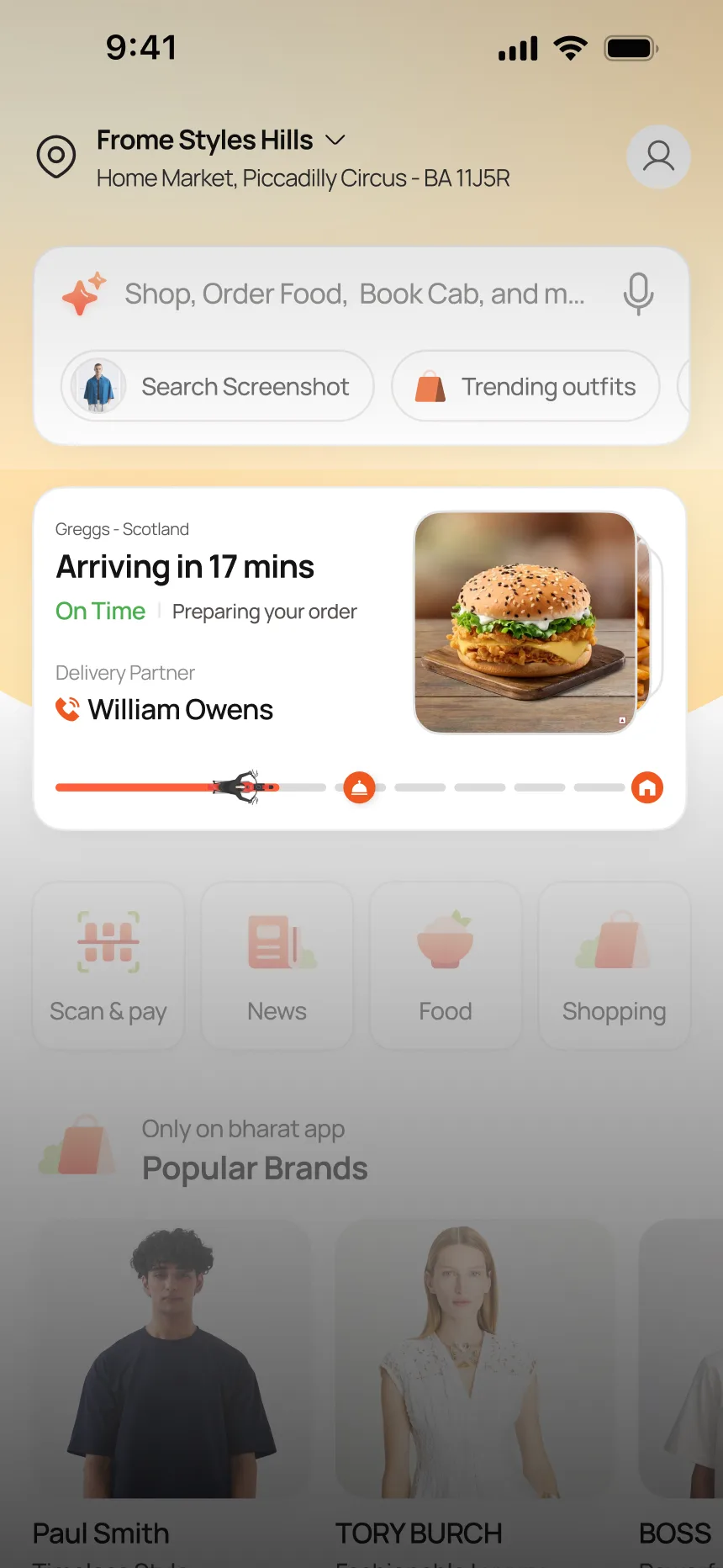
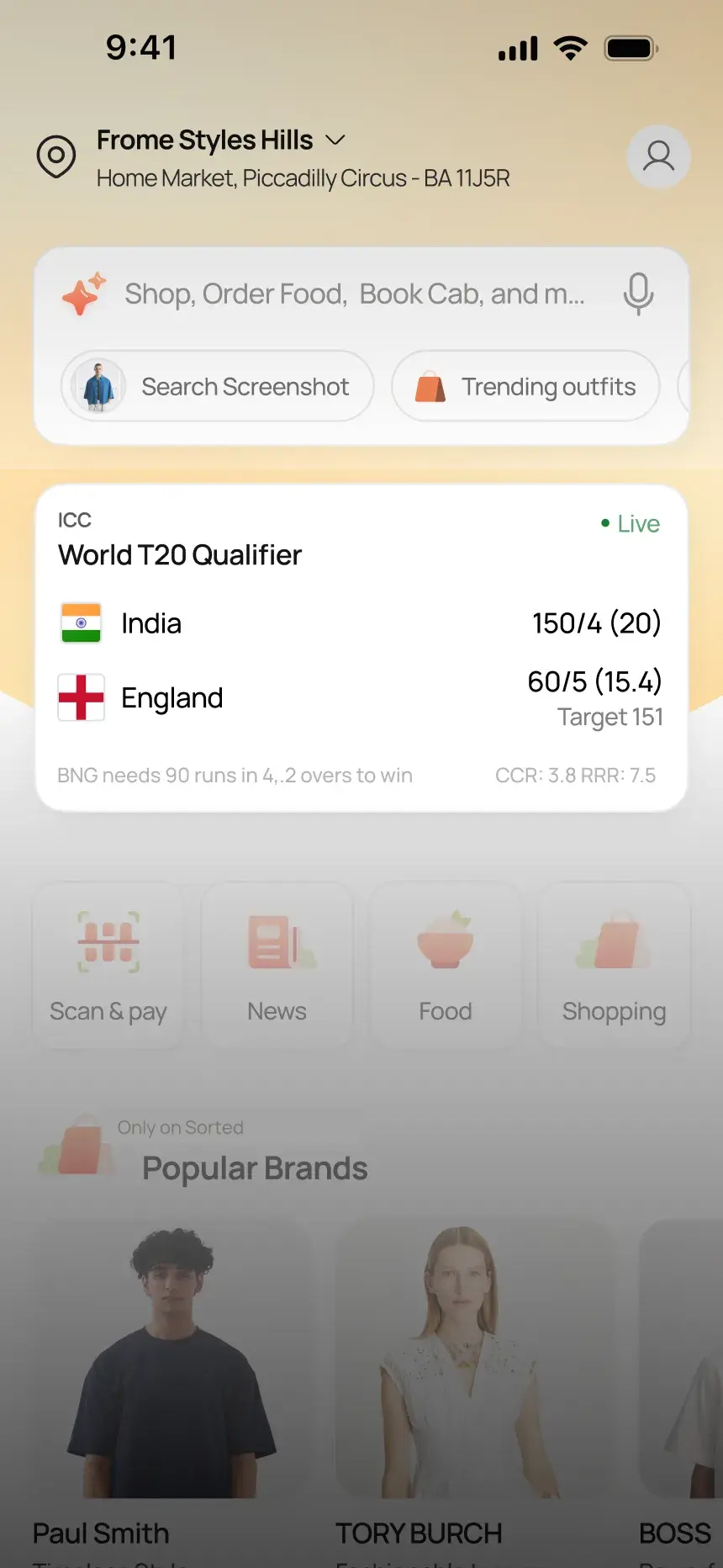
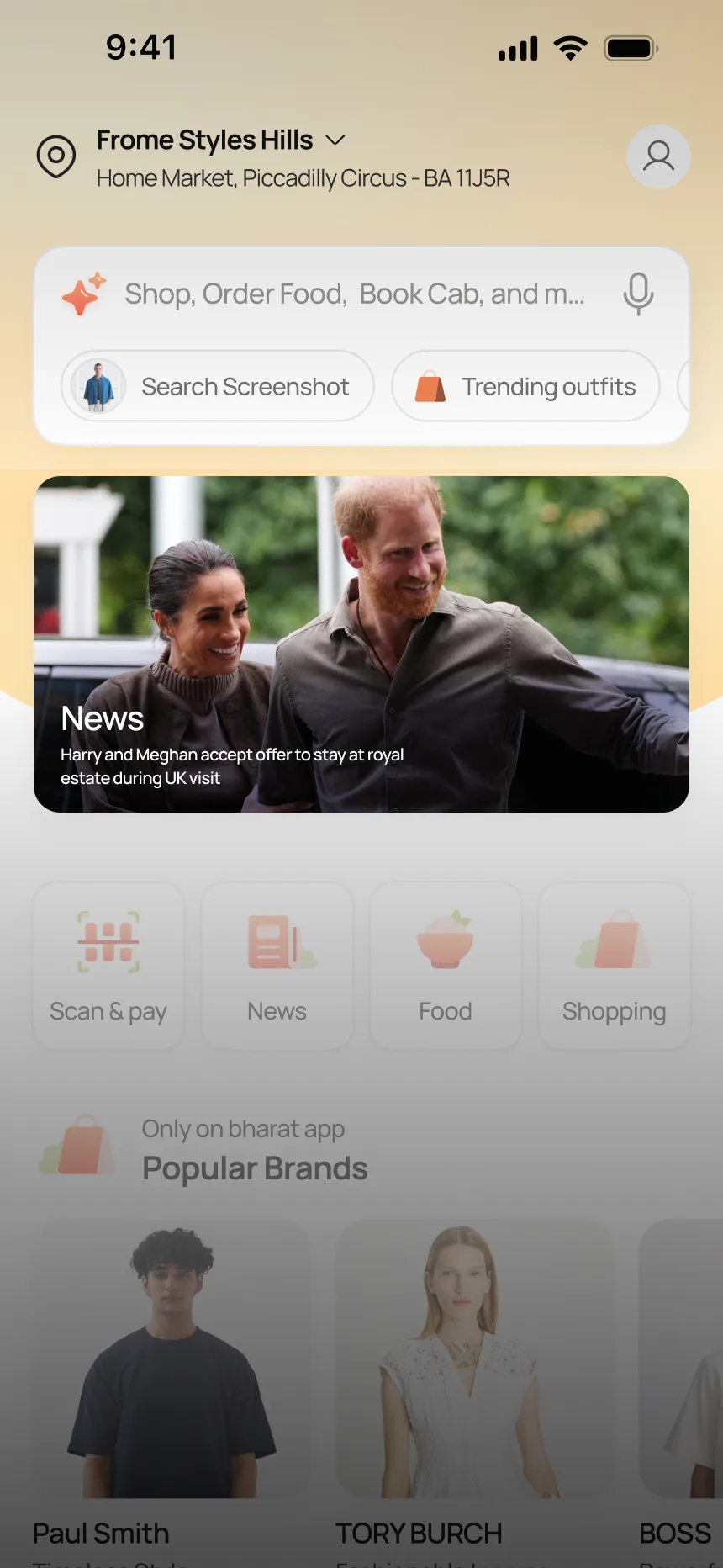
In a super app, live context surfaces on the homepage without requiring the user to open a module. A cab is arriving in 5 minutes. A food order from Greggs is 17 minutes away. A cricket match is live. A news story is breaking. Each widget occupies the same slot on the homepage but shows different content depending on what is active. The user glances at the homepage and knows what is happening across every domain.
Four widget states, one slot
Tourism
Architecture stress testTesting the Platform Architecture
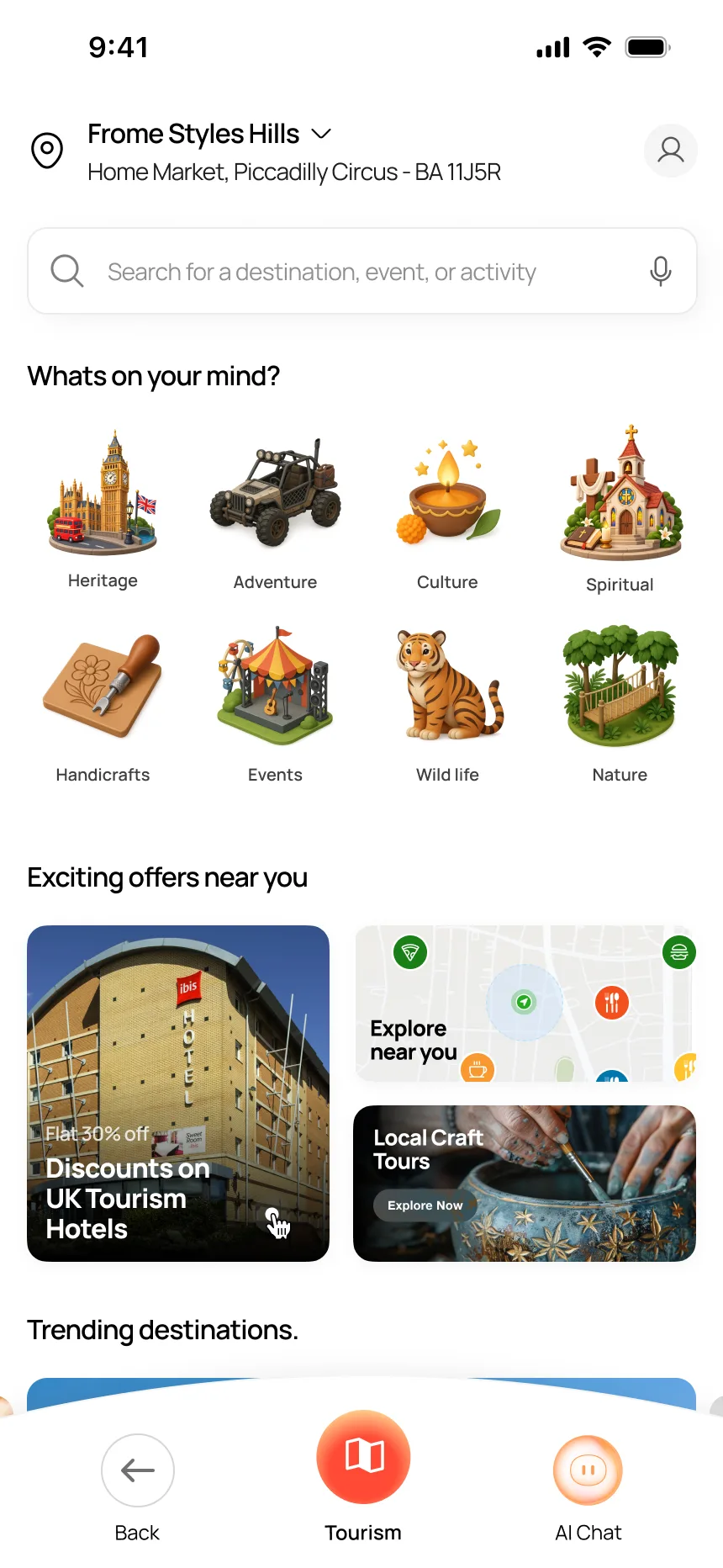
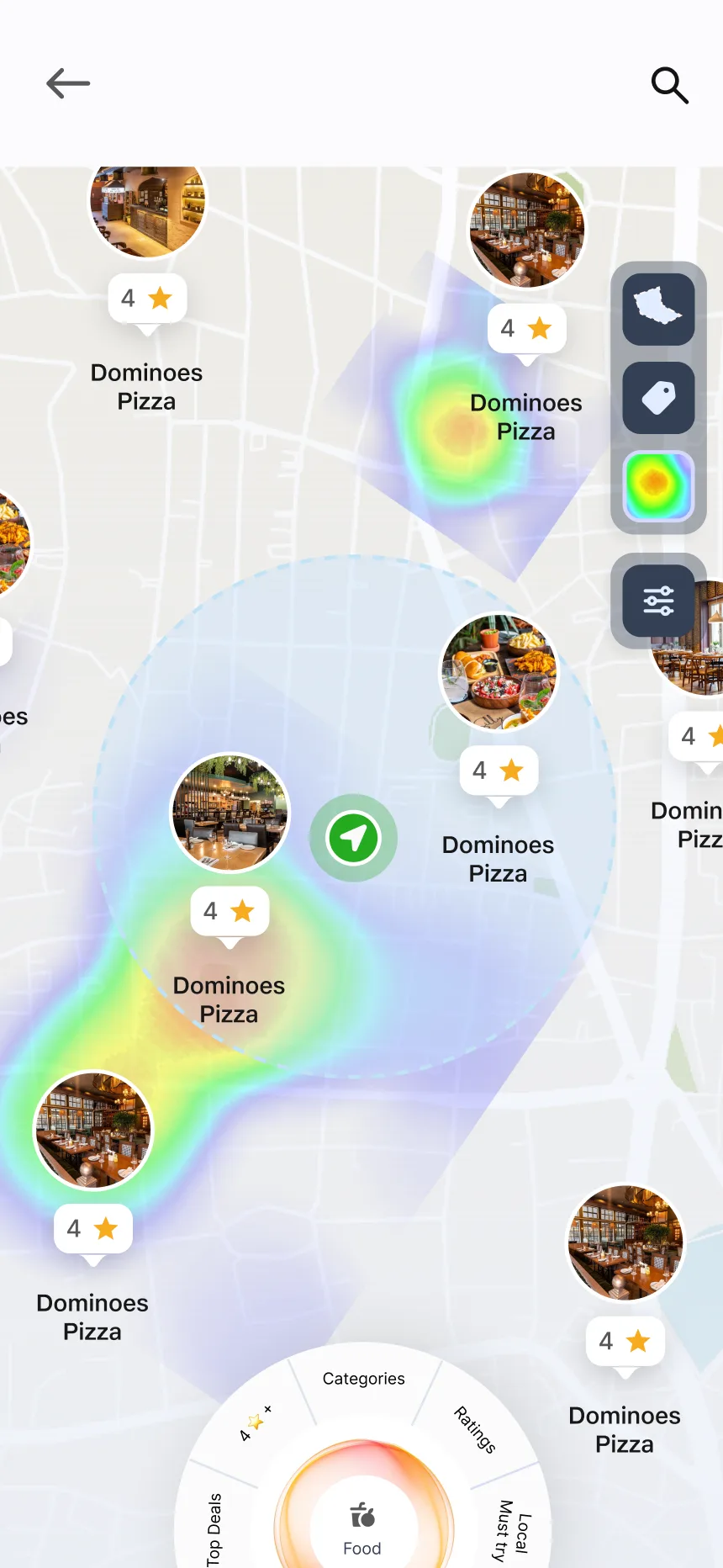
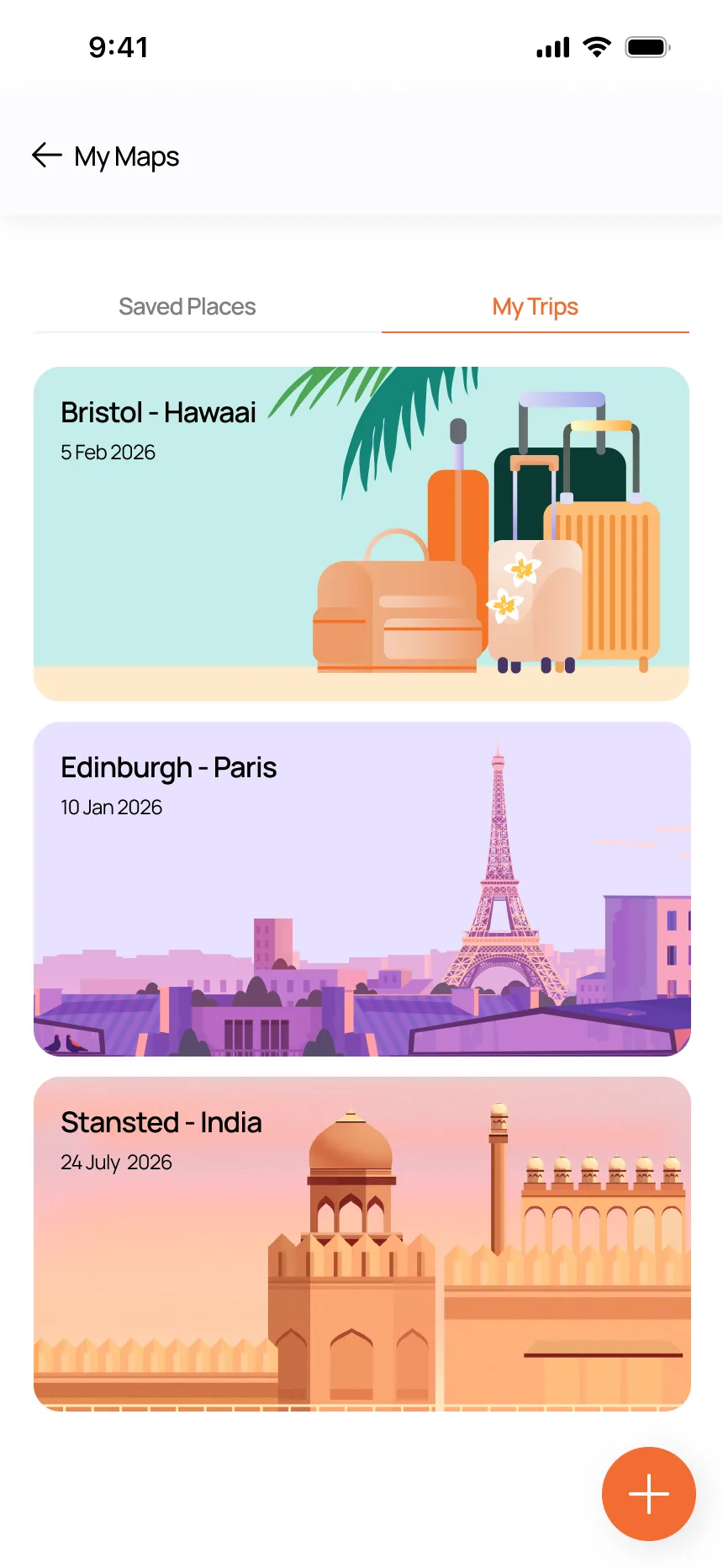
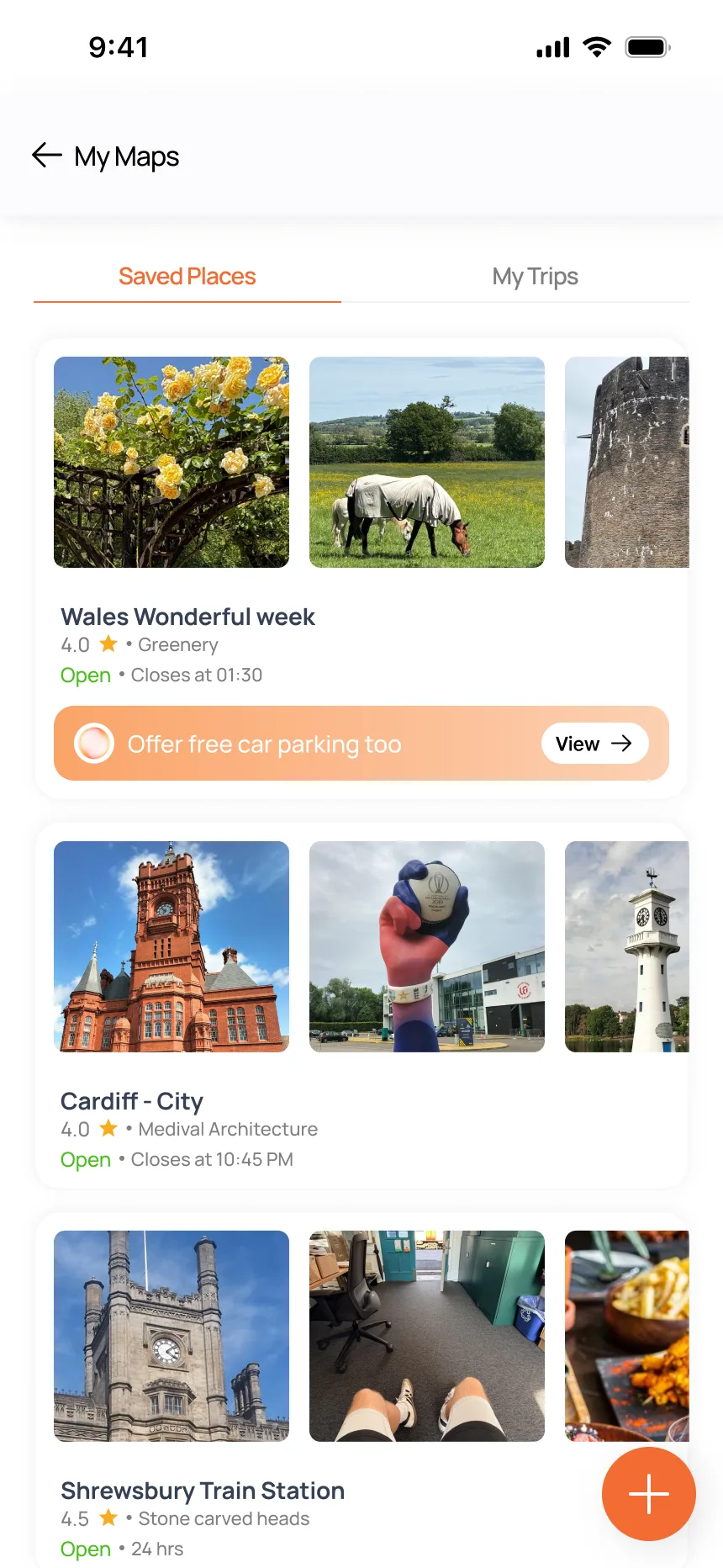
Tourism was not planned as V1 scope. I designed it to stress-test whether the platform architecture — shared location, shared AI, shared checkout — could support a domain with very different discovery patterns. Culturally specific categories (Heritage, Spiritual, Handicrafts, Wildlife), trip management, saved places, and a proposed crowd heatmap. If the architecture held, the platform could extend beyond commerce.
Browse → Intelligence → Plan
What the Heatmap Adds

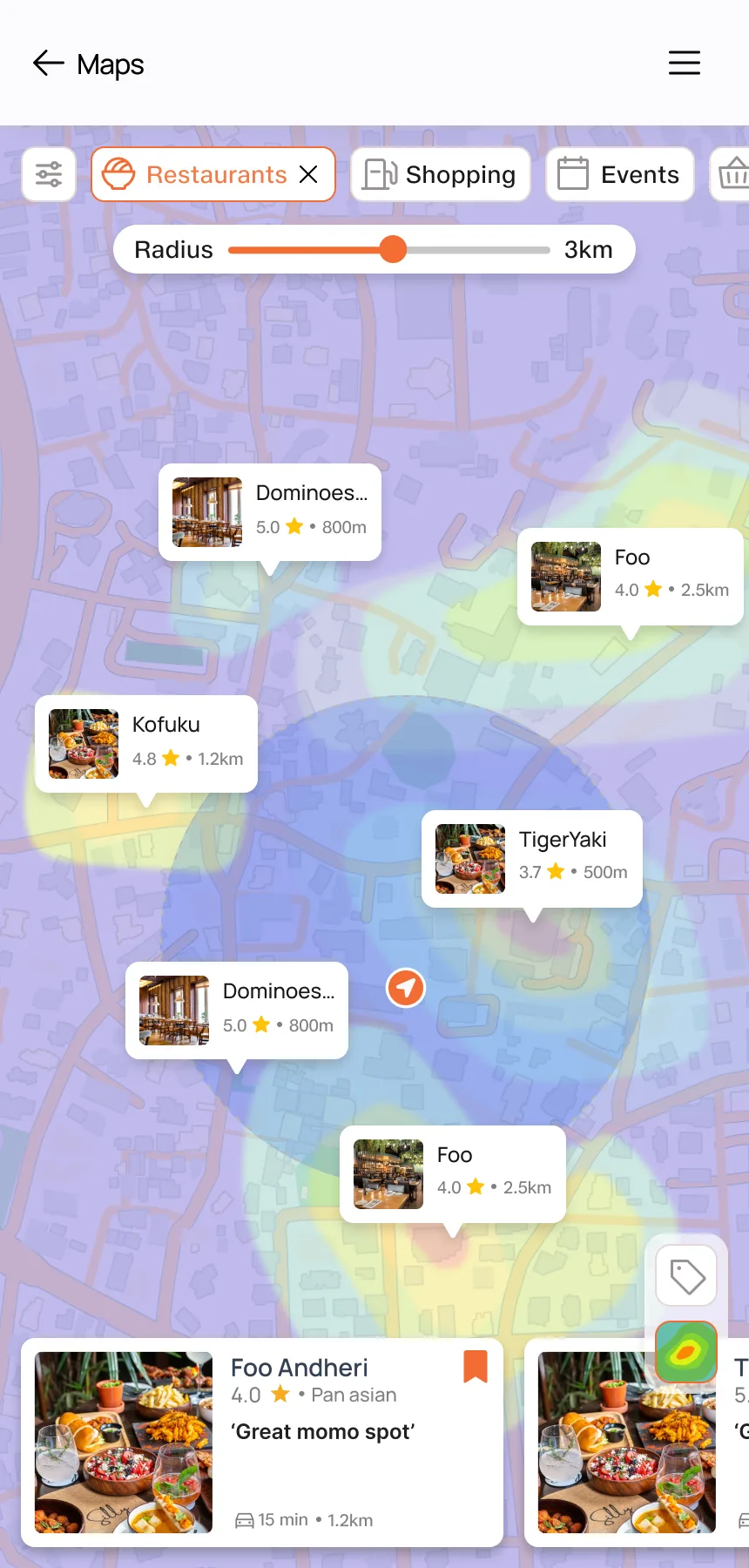
The heatmap overlays crowd density onto the map. Venue tooltips surface directly on the overlay with profile images and labels. A dashed radius circle marks the discovery zone around the user. The sidebar toggles layers — heatmap visibility, category tags, filters. At the bottom, an AI-driven radar visualises what is around you by category: Food, Top Deals, Ratings, Vegetarian, Budget-friendly, Local Must Try. The map becomes a decision surface rather than a navigation tool. You do not search for places — the system shows you what is here, how busy it is, and what matters to you.
Onboarding
Personalisation before contentWhy This Matters More in a Super App
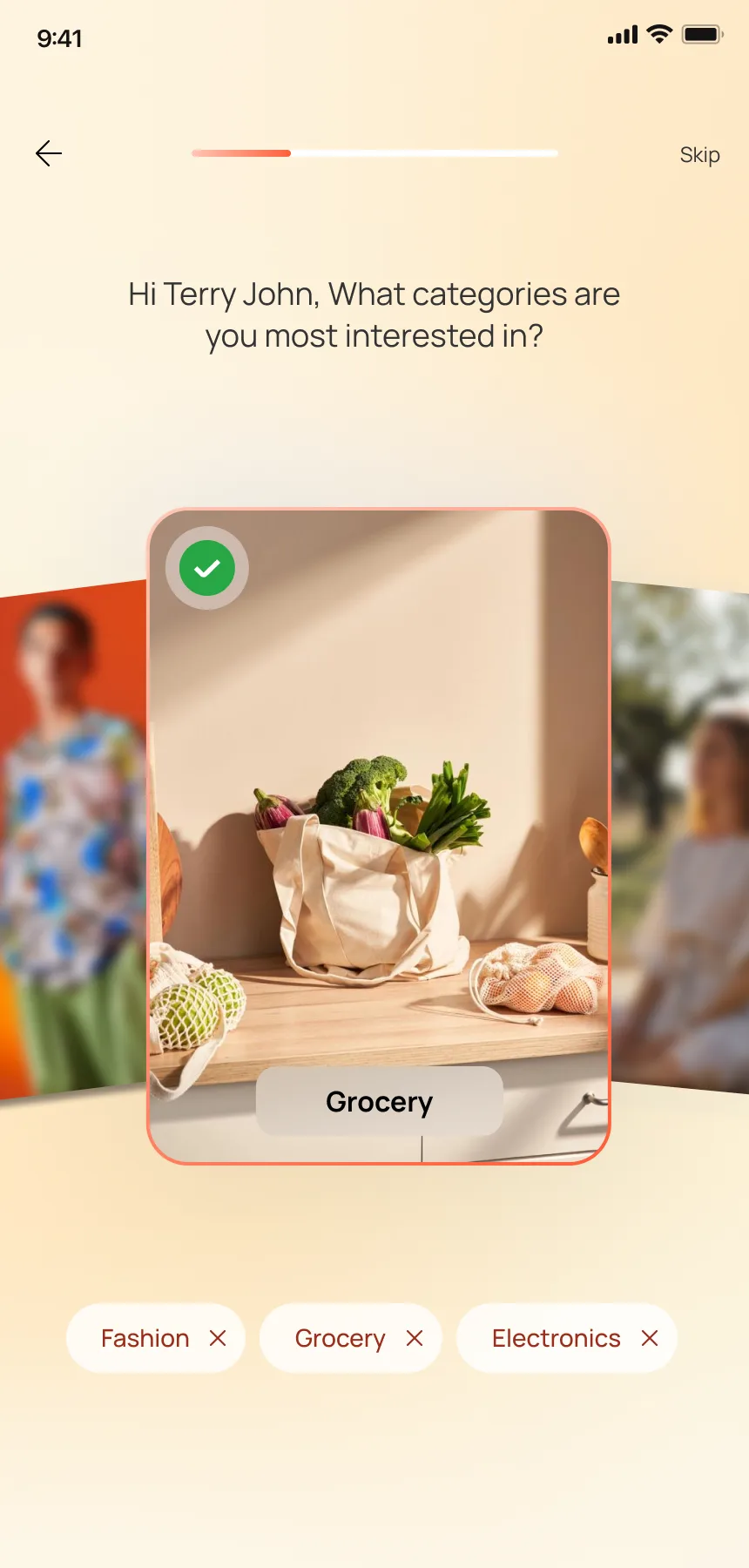
Deliveroo can launch straight into restaurants — it knows what you want. A super app with nine modules cannot assume anything. The onboarding introduces the AI assistant, offers flexible sign-in, and asks which categories matter to you. Fashion, grocery, electronics — those choices shape the homepage, the AI recommendations, and which modules surface first. Without personalisation upfront, the app would feel like noise.
Brand → Access → Personalise → AI



AI as the Last Step
The onboarding ends with the AI introduction, not a dashboard. After signing in and picking categories, the user meets Sortoo: "Hello. I'm Sortoo." By this point the AI already knows their name and interests — "Hi Terry John, What categories are you most interested in?" — so the first interaction feels personal rather than cold. The relationship is established before the first transaction.
Map as
a Domain
Location intelligence
Shared Capability, Not a Separate Module
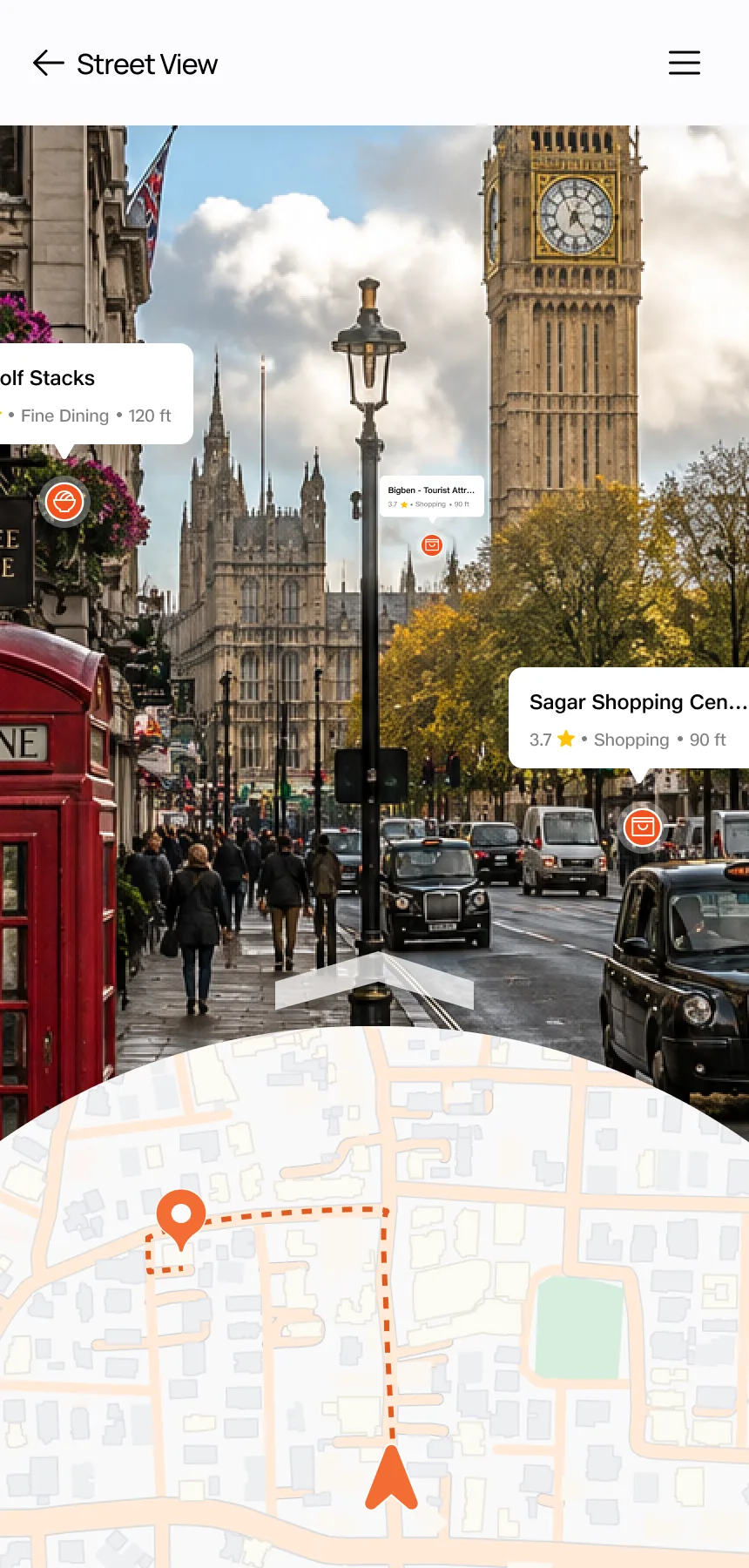
In most apps, the map is a utility — search, pin, navigate. I explored what happens when the map becomes a shared platform layer used differently by Food, Tourism, and Local Discovery. A street-level view overlays venue information onto the real world. A heatmap layer proposes crowd density filtered by radius. And the AI sits on top of it, answering questions about what you see. Food, Tourism, and Maps all use the same location infrastructure but surface it differently.
See → Filter → Ask → Understand
Street View as Discovery
The street-level view is not Google Street View with pins dropped on it. Venue information is anchored to buildings — a restaurant's name, rating, and distance appear where the restaurant physically is. You look at a street and immediately understand what is there. The heatmap then adds a layer that no single-venue app can provide: where people would be clustering, across which categories, within what radius. These are two different ways of seeing the same place — one immersive, one analytical — and both feed into the AI when you ask a question.
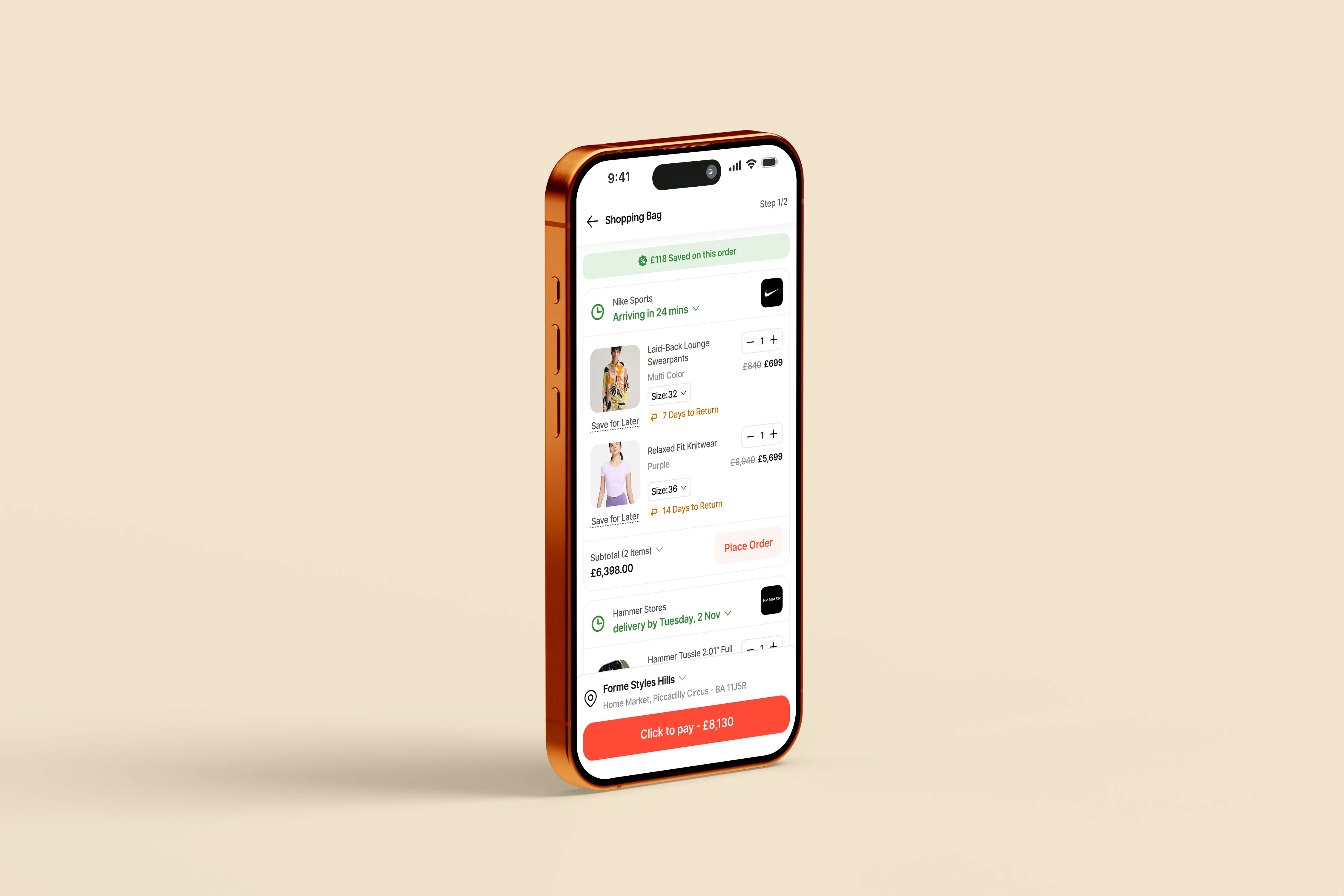
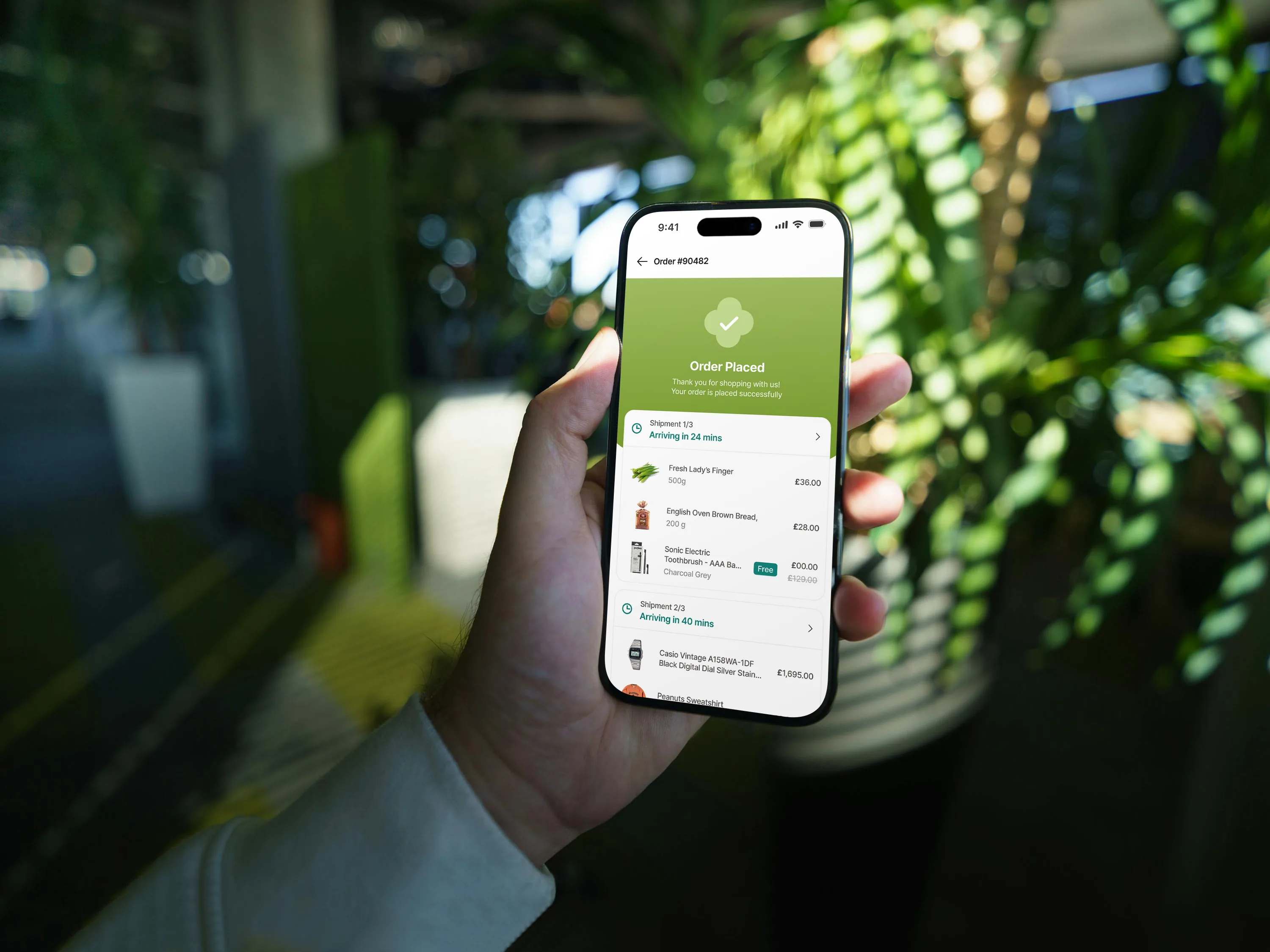
Cross-Domain Cart
One cart across six entry points
Cart Research
A super app cart is not
a normal cart.
The Constraint
One cart.
Six entry points.
Three product types.
In a single-vertical app, the cart has one job: hold items from one store. In Sorted, the cart has to hold a restaurant booking from the AI Chat, a shirt from Smart Search, and groceries from the Shopping module — all at the same time, entered from different places in the app.
The user does not browse a catalogue and add items linearly. They arrive at the cart from a conversation, from a search result, from a map pin. The cart has to make sense regardless of the entry point or product mix.
The Approach
Start from
research,
not patterns.
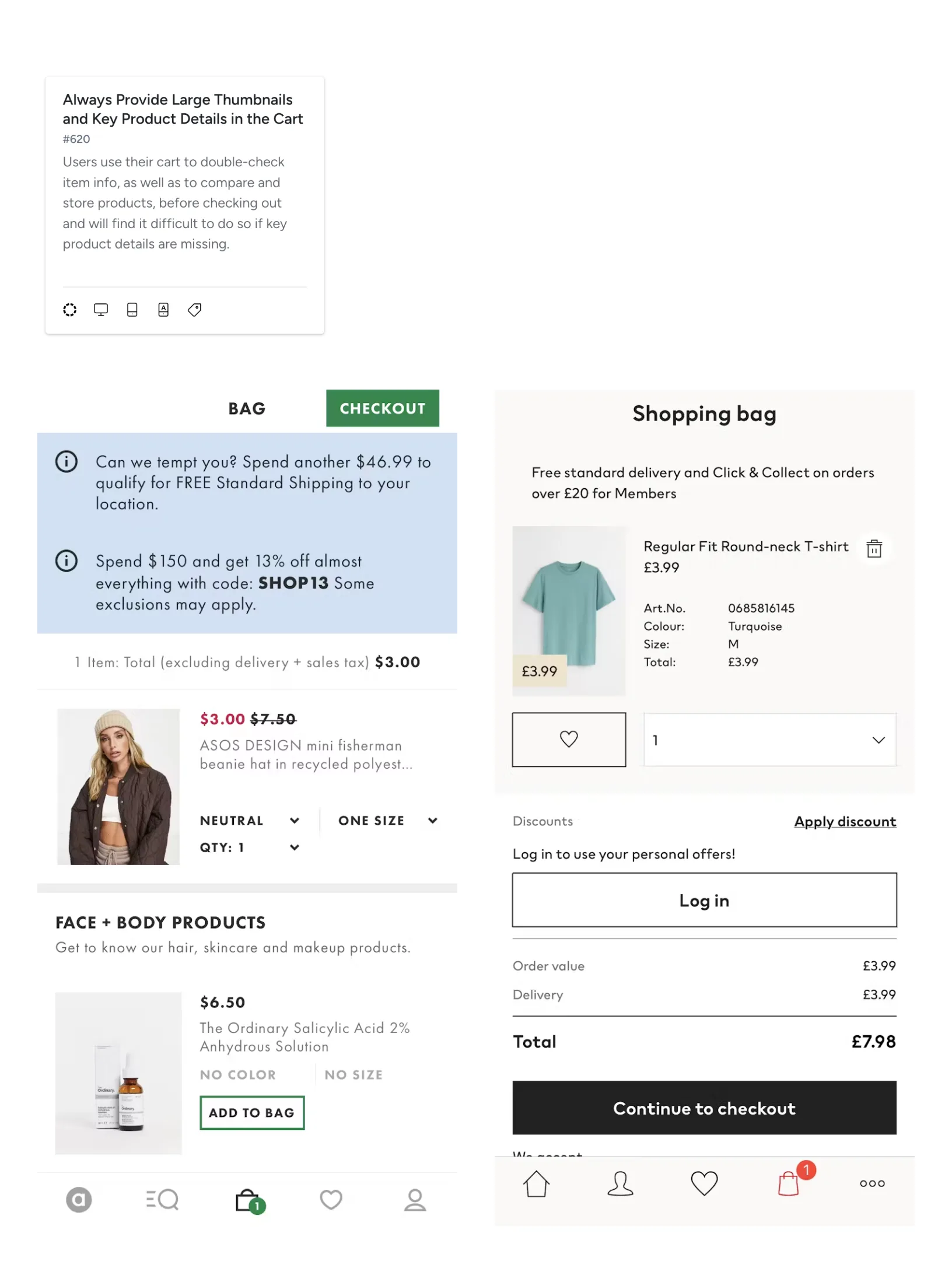
I could not copy a Deliveroo cart, an Amazon cart, or a Monzo payment flow — each solves for one domain. Baymard Institute has tested cart and checkout UX across 250+ e-commerce sites. Their research is grounded in large-scale usability testing, not convention.
I used their guidelines as constraints, evaluating each against the cross-domain problem: does this principle hold when a cart contains items from three different verticals? Nine rules survived.
Principles Applied
9 Baymard rules mapped to Sorted.
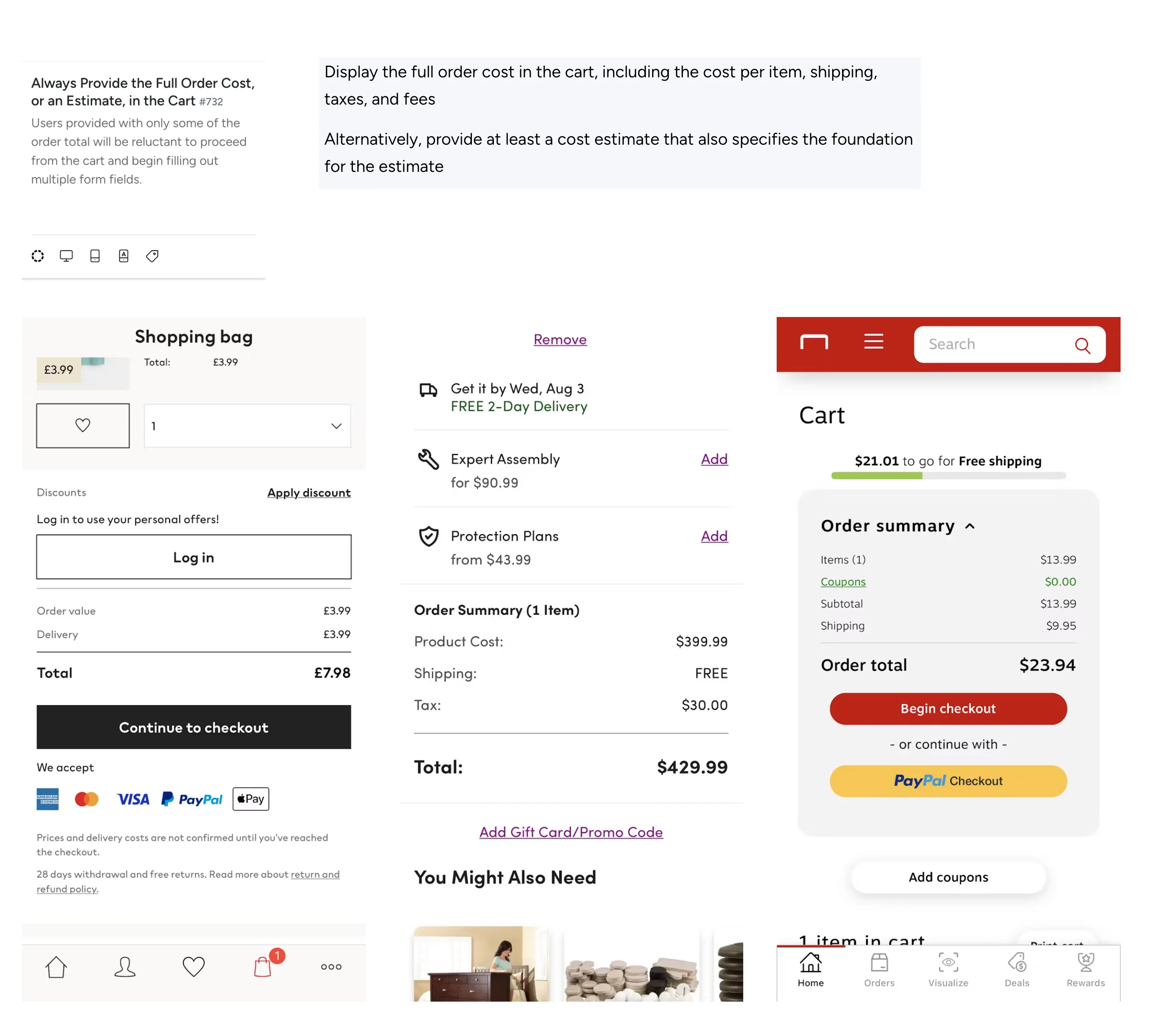
01 / 09
In a cross-domain cart, delivery, service fees, and taxes may come from different providers. Cost transparency is critical.
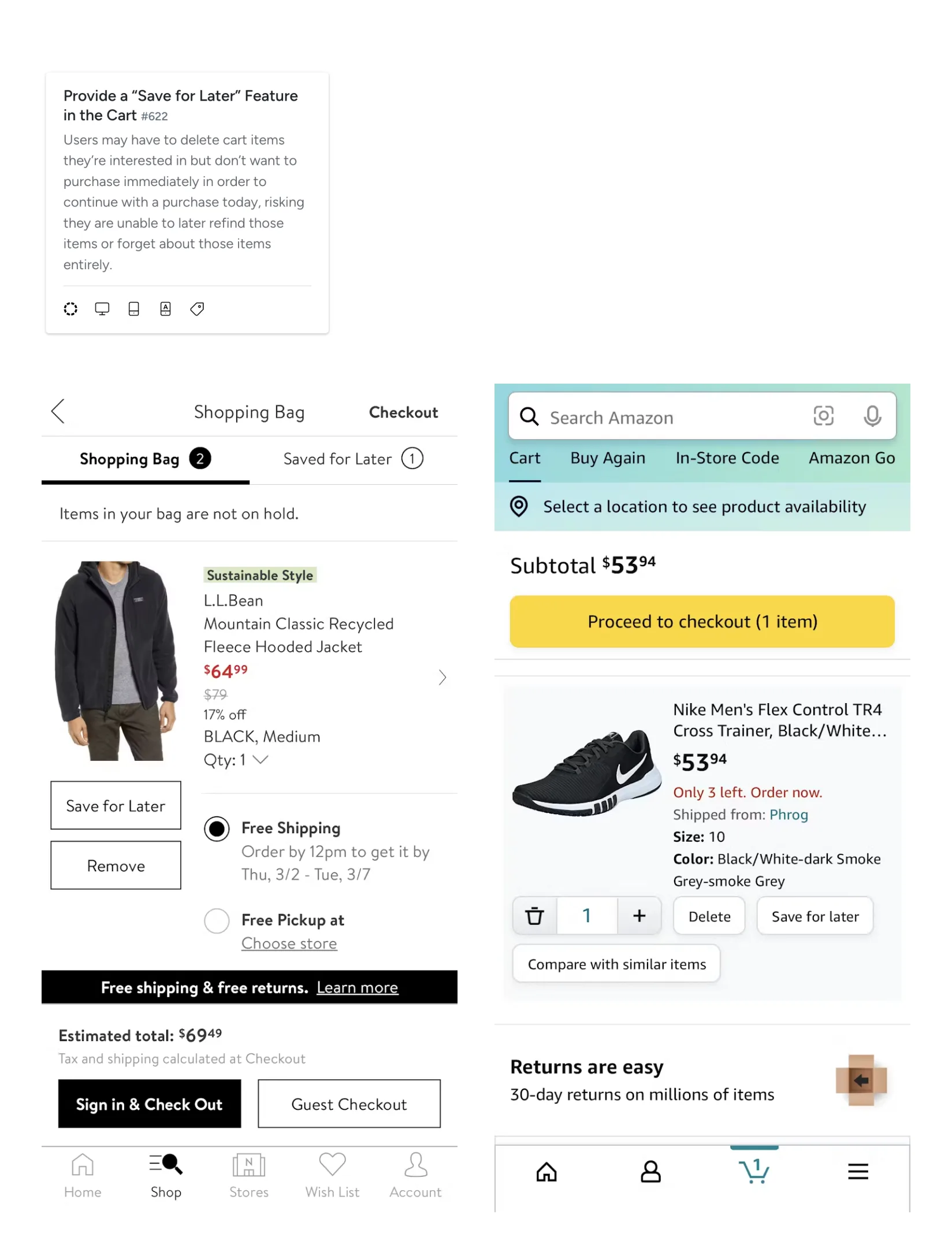
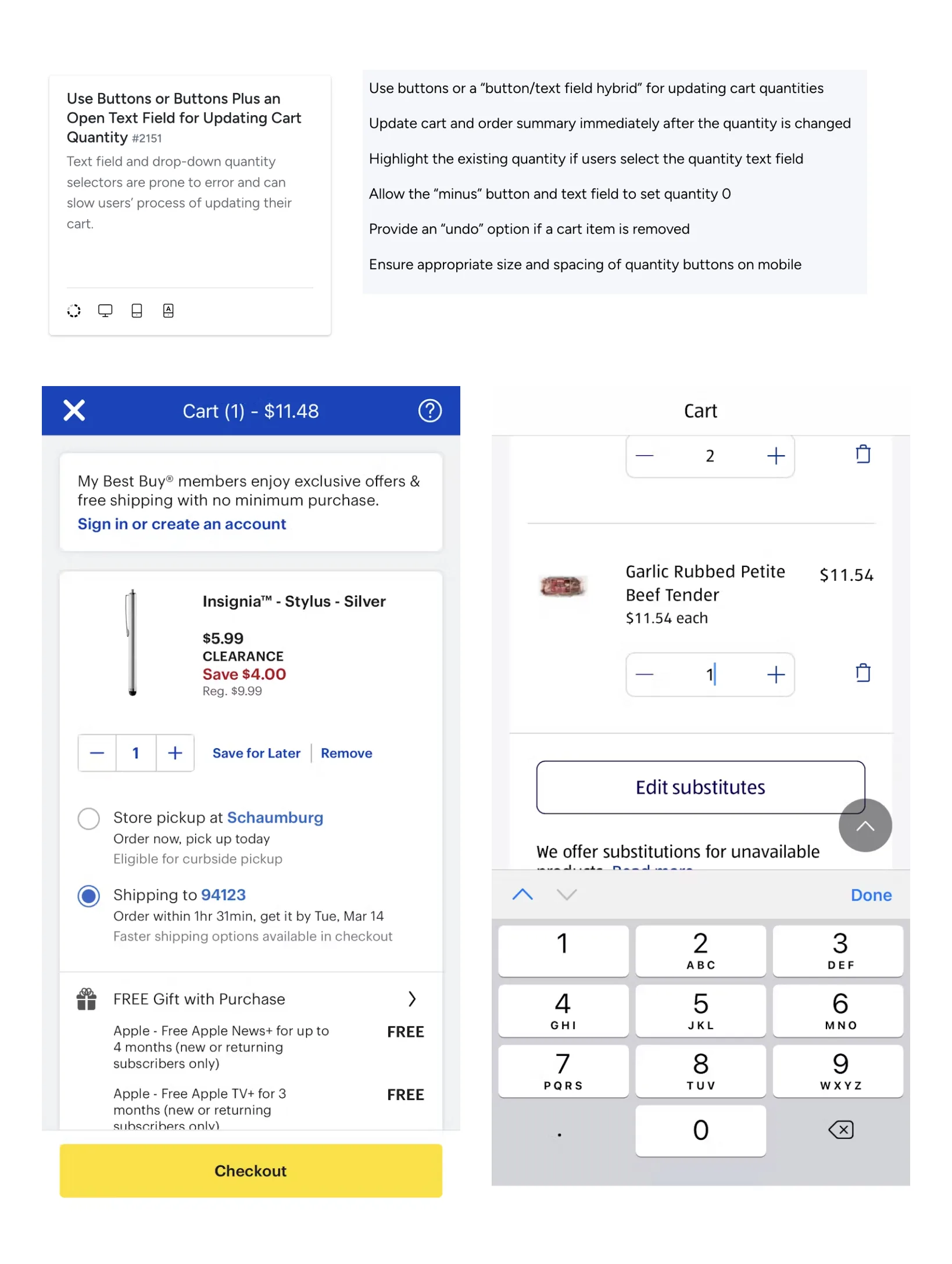
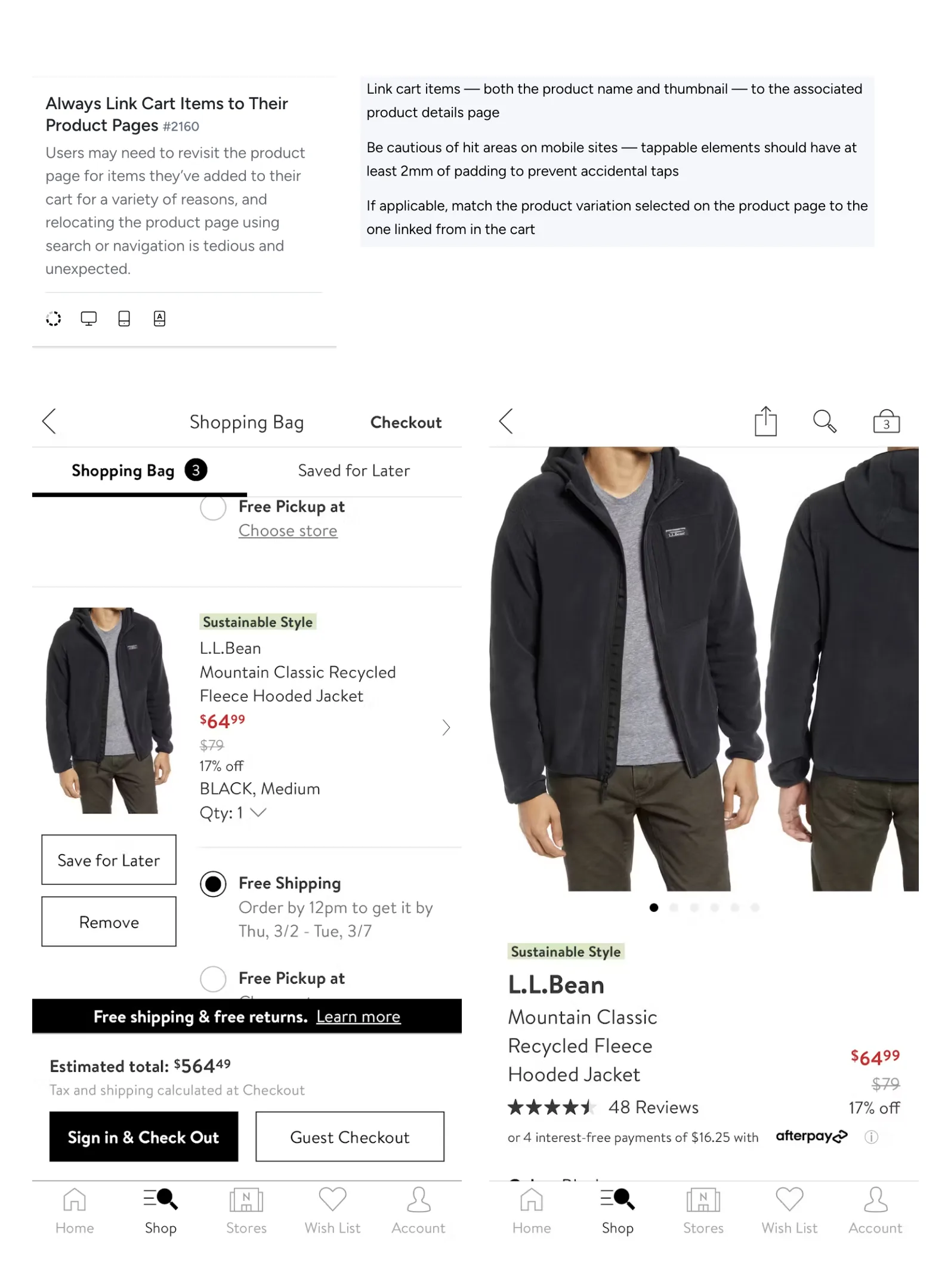
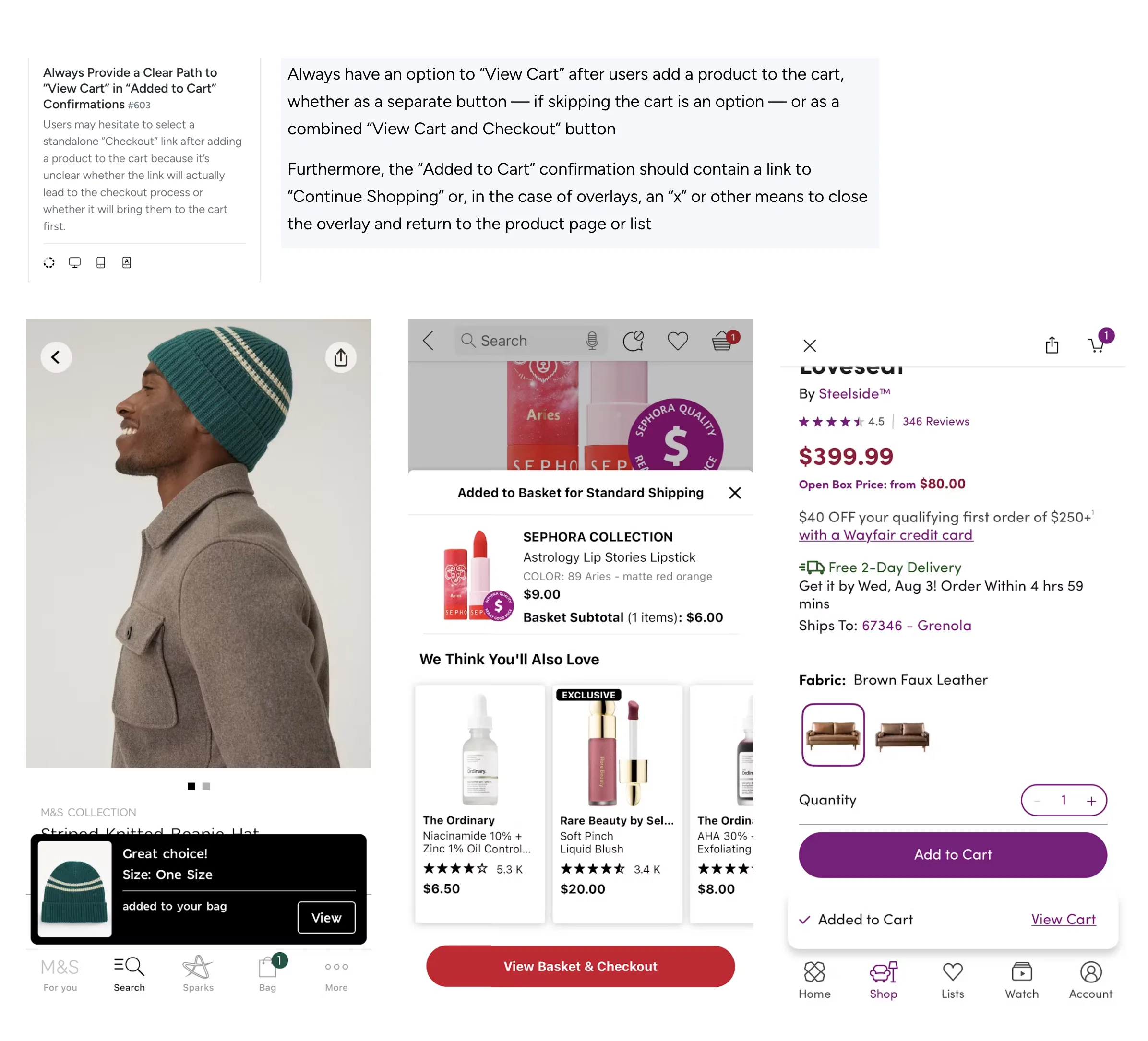
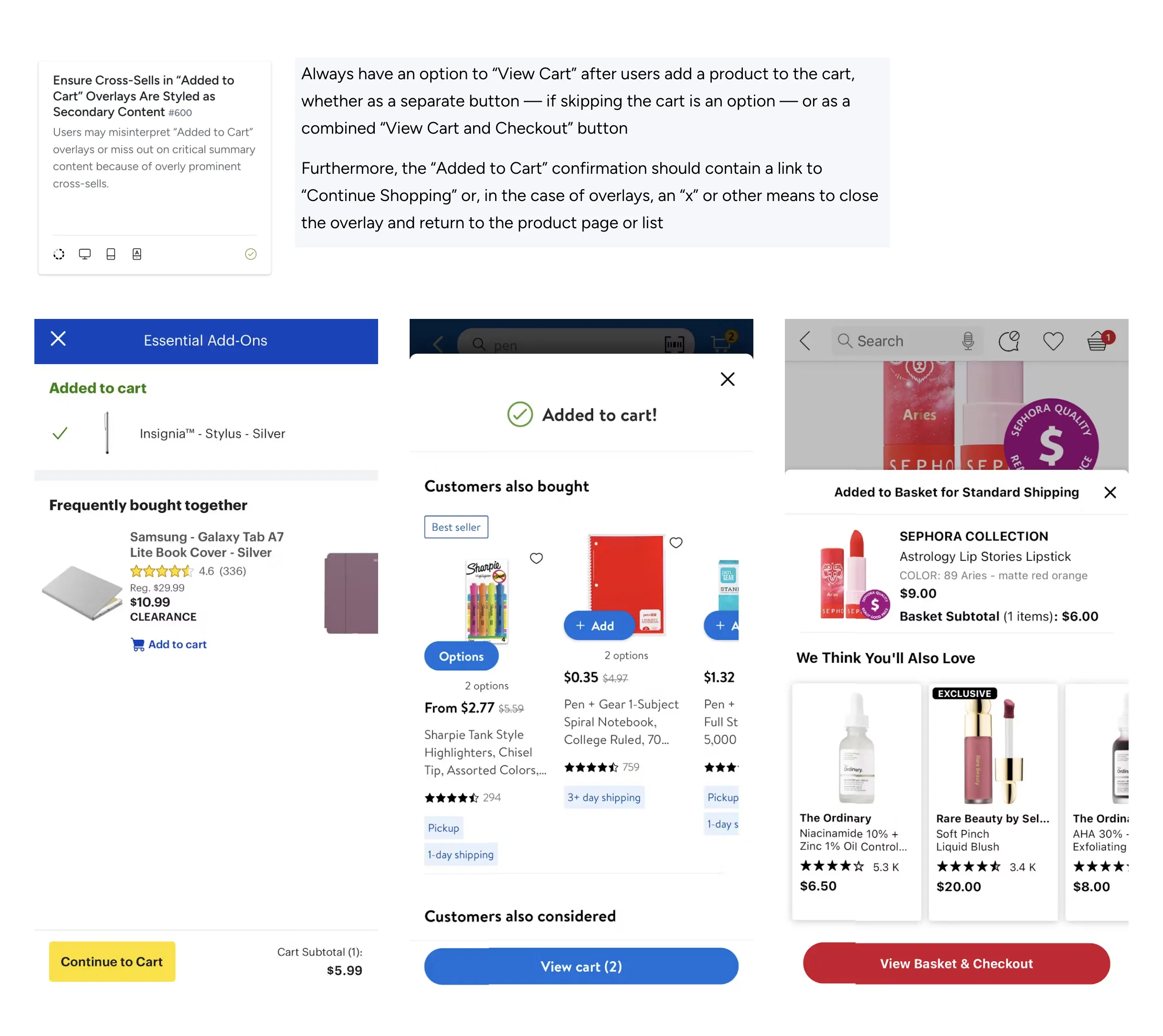
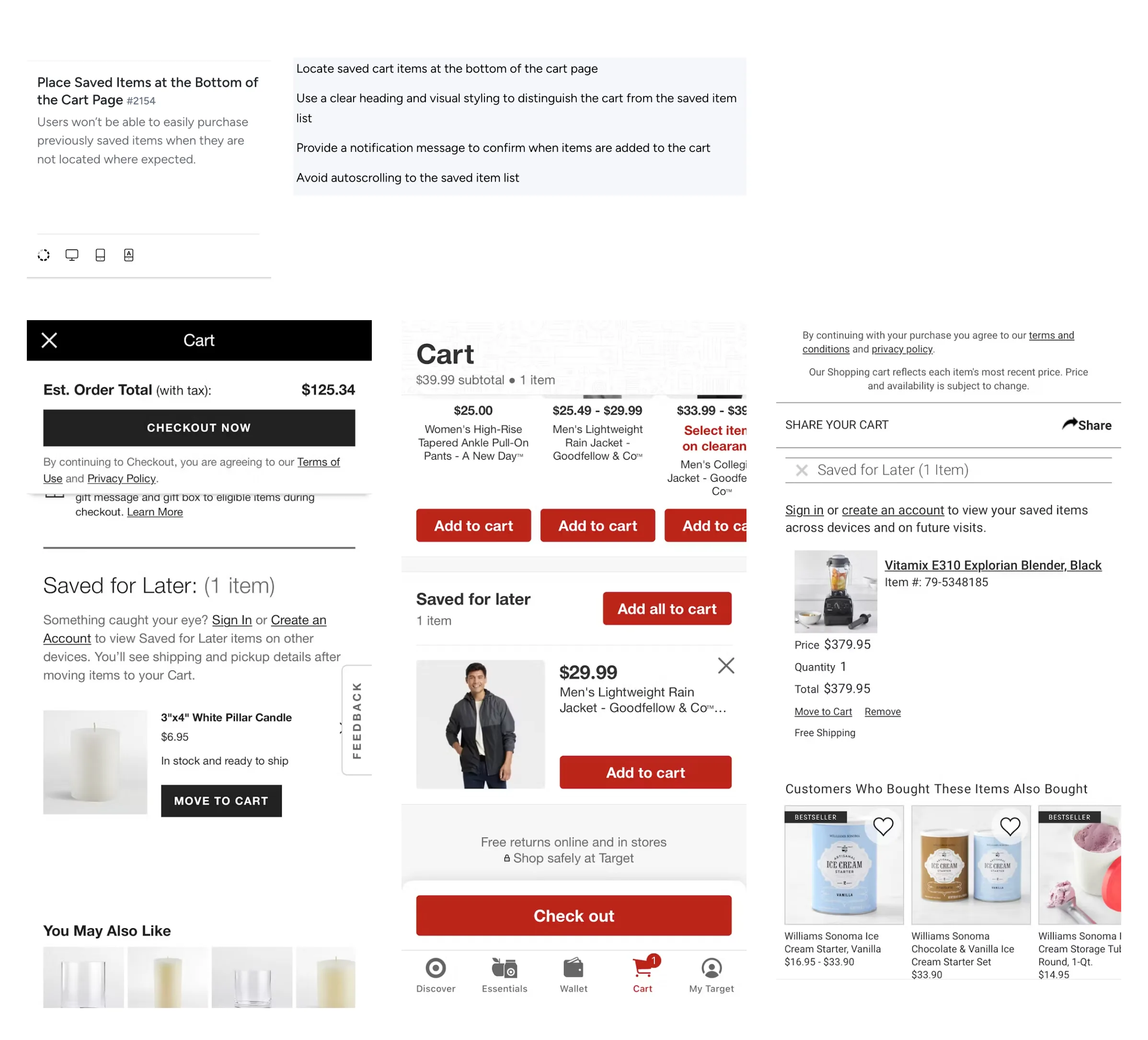
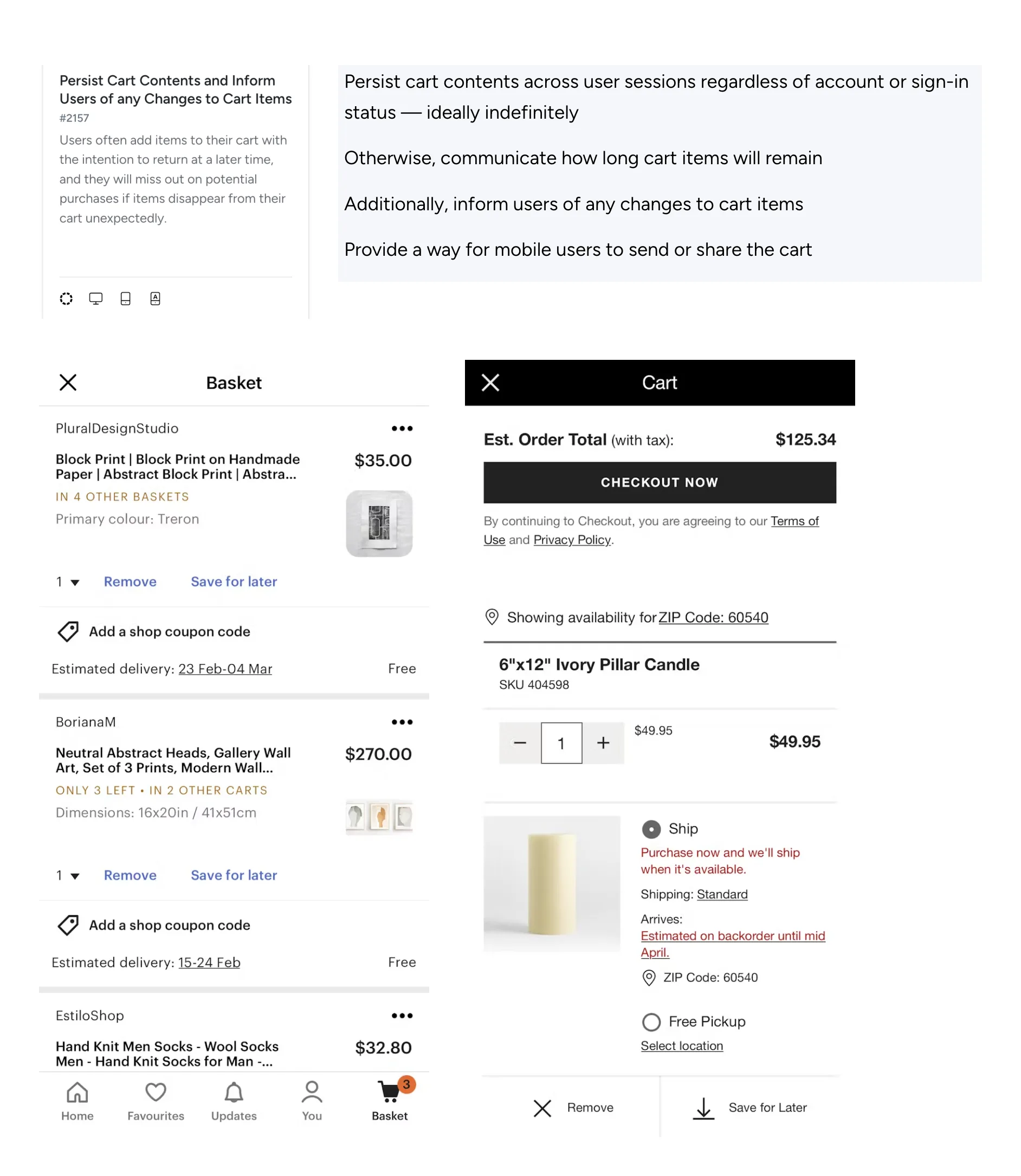
Baymard Institute, Cart & Checkout UX Research
Judgment
What to build, what could break, what to test.
Scope
V1: AI chat + smart search, food discovery, shopping, shared checkout. Transactional, cross-domain, testable.
Deferred: Transport, NHS, GOV.UK, insurance. Health data introduces consent constraints. 317 local authorities in England.
Risks
Specialist app loyalty. 15.2M Monzo customers. Trust concentration. Cross-domain data burden. Regulatory complexity. Overlapping obligations. Cold start. No supply day one. AI latency. Speed is trust. Unit economics. Value beyond the transaction.
What I Would Test
01. Cross-domain intent routing. 02. Transactional trust. 03. Location re-contextualisation. 04. AI confirmation boundaries. 05. Map vs list preference. 06. Minimum viable ecosystem.
Reflection
Whether UK users genuinely want a cross-domain relationship with one product, or whether 17 specialist apps that each work well is actually the better outcome. This concept explores the former. The market has so far chosen the latter.
Worked: Shared checkout held across Chat, Search, and Shopping. Platform-layers model proved shared infrastructure does not require identical surfaces.
Would change: More home screen states. Stronger news module reasoning. AI Star icon validation.
Concept work. Not shipped. Not validated. The value is in the decisions: what to unify, what to keep separate, where to stop, and why.